

Home / Knowledge Base / Running Tests and Recording Results
Running Tests and Recording Results
A test run in QAM Hub is where you execute a set of test cases and record the outcome of each one. You assign testers, mark each case as pass, fail, blocked, skipped, or untested, and QAM Hub keeps a full history of every status change.
Create a test run#
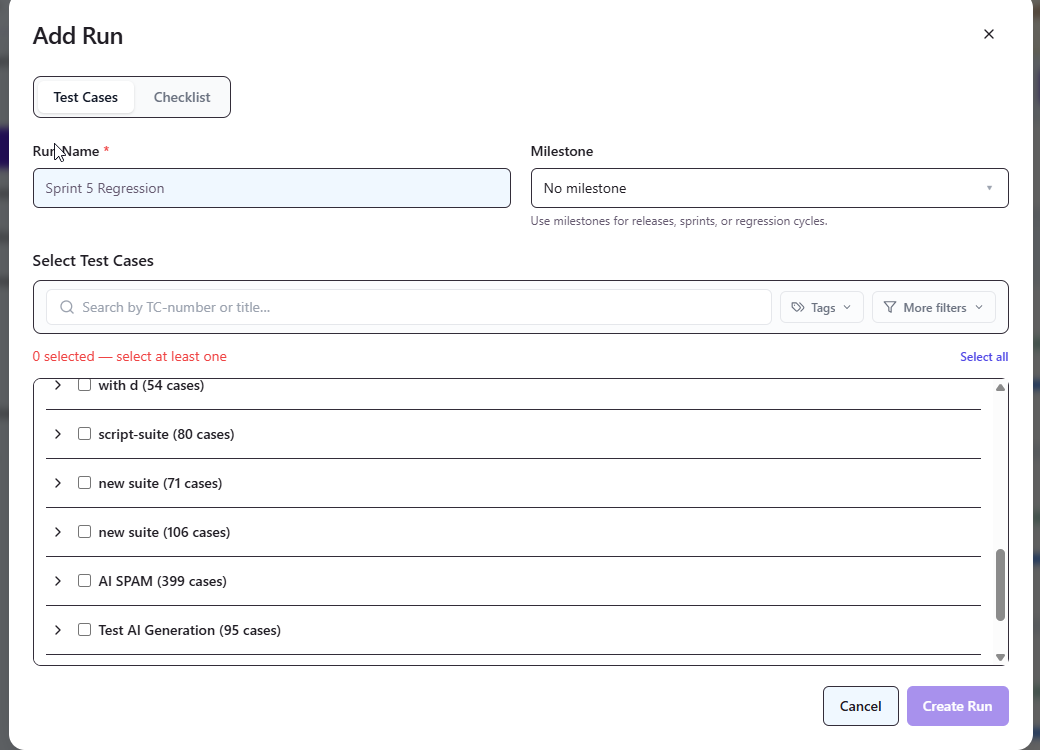
- Open your project and create a new test run.
- Select the test cases or suites to include in the run.
- Assign testers so responsibility for each case is clear — see assigning testers to a run.
Record results#
- Open the run and work through each test case.
- Set a status for each: pass, fail, blocked, skip, or leave as untested. For what each one means, see test execution statuses explained.
- Add comments to explain a result, and attach screenshots — for example a failure screenshot — directly to the execution.
Execution history#
Every status change is recorded, so you always have a complete execution history for each case across runs. This is what makes release-readiness and coverage reporting reliable, instead of depending on someone's memory of the last test pass.
Automated results#
Runs are not limited to manual testing. QAM Hub can also ingest results from automated frameworks such as Playwright and Cypress and link them back to the matching manual cases, giving you one combined view of coverage.