

Integrations & API
Each project connects its own issue tracker and creates or links issues from a failing execution. Requirements come in from the tracker, test status and defects are published back onto the issue, and everything the interface does is an API call available to your scripts, CI and MCP-capable AI agents.
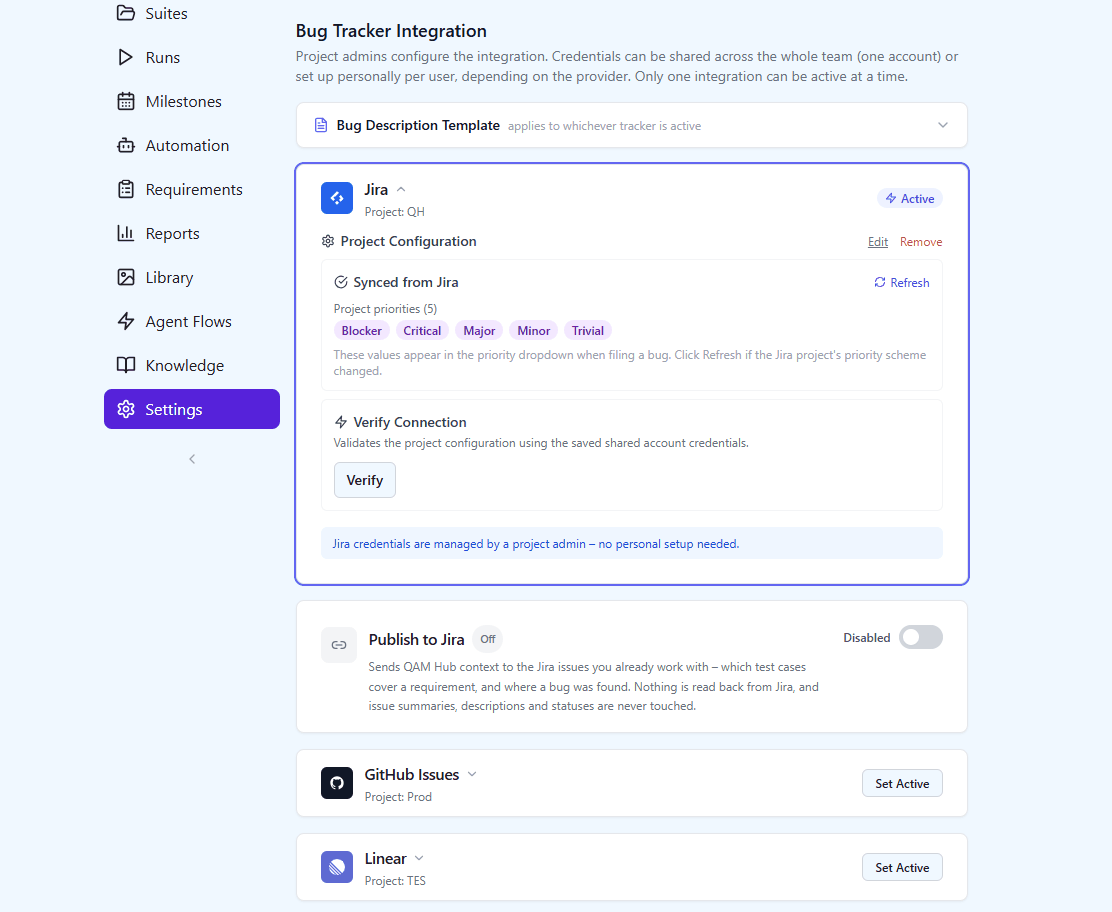
Issue tracker integrations
Connect Jira, GitHub Issues, GitLab, Linear, Asana, Redmine, Trello, Azure DevOps, ClickUp, YouTrack, Shortcut or ServiceNow once, then create and link issues without leaving a test run.
Each project connects its own tracker with encrypted credentials and its own field defaults. From then on, creating an issue is part of executing a test: the dialog is pre-filled from the failing execution, and the resulting issue is linked back to the case, the run and the requirement.
Providers sit behind a common interface, so the workflow is identical whichever tracker you use, and adding another one does not change how the product behaves.
- Jira, GitHub Issues, GitLab, Linear, Asana, Redmine, Trello, Azure DevOps, ClickUp, YouTrack, Shortcut and ServiceNow
- Per-project configuration with encrypted credentials
- Create from a failure, or link an issue that already exists
- Test the connection before you rely on it
Two-way with your tracker: requirements in, status out
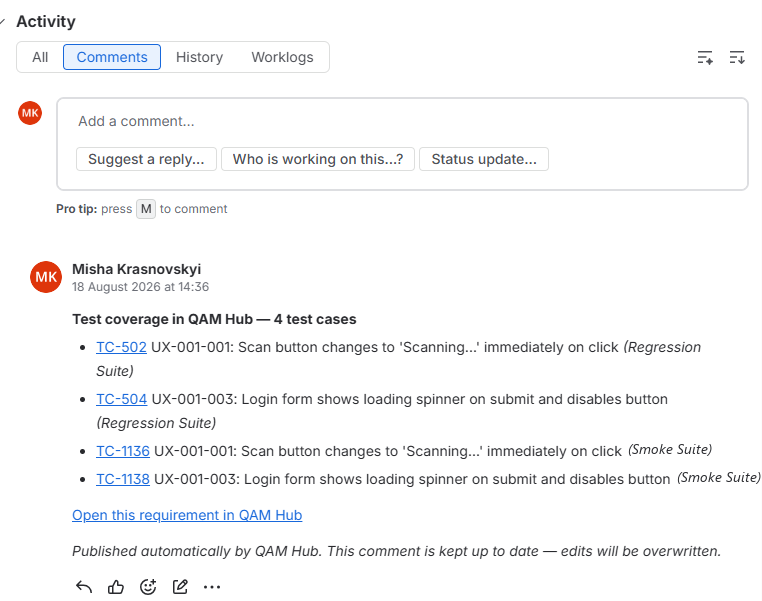
Pull requirements from the tracker and publish QA status back onto the issue, so people who never open a test tool still see the coverage.
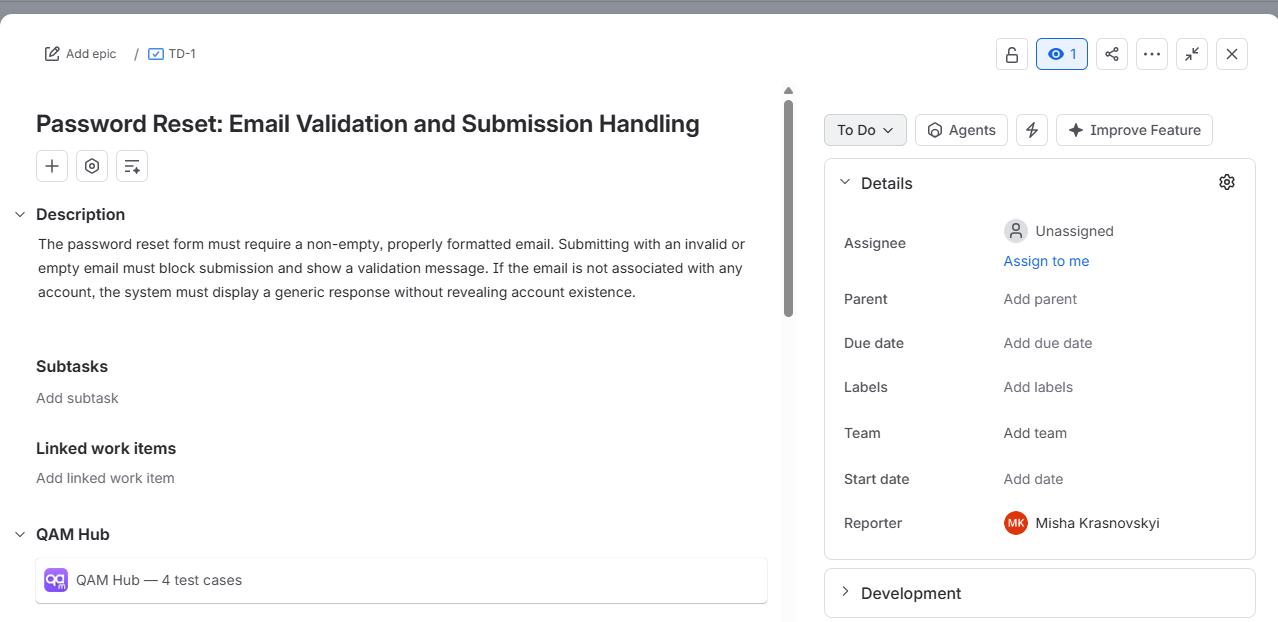
Requirements are imported from Jira, GitHub, GitLab, Linear, Asana, Redmine, Trello, Azure DevOps, ClickUp, YouTrack, Shortcut or ServiceNow by filter, refreshed on demand and linked to the test cases that cover them. Publishing works the other way: each linked issue gets a single QAM Hub comment, edited in place, that says which cases cover this requirement, which defects were found and where the run stands. On Jira a web link is added as well. Nothing human-owned is overwritten.
Publishing works on all seven trackers and is switched on per project and per tracker, so each team decides which of its trackers hears from QAM Hub.
- Requirements synced from all seven trackers, refreshed on demand
- One QAM Hub comment per issue, edited in place, on every supported tracker
- Jira remote issue links, next to the comment
- Opt-in per project and per tracker, off by default; failures shown in the integrations screen, never silent
REST API & API tokens
Everything the interface does is an API call, available to your own scripts through scoped API tokens.
The web app is a client of the same API your automation can use: suites, cases, runs, executions, checklists, requirements, milestones and reports. Tokens are issued per organization, carry the permissions of the user they belong to, and can be revoked.
That is what makes the CI reporters, the MCP server and any in-house tooling equal citizens – there is no privileged back door only the interface can reach.
- Scoped, revocable API tokens
- The same role and permission checks as the interface
- Google SSO for people, tokens for machines
- Every mutation recorded in the audit log
More in Integrations & API
Works with the tools you already use
- Jira
- GitHub
- GitLab
- Linear
- Asana
- Redmine
- Trello
- Azure DevOps
- Playwright
- Cypress
- WebdriverIO
- Selenium
- JUnit XML
- Google SSO
- MCP / Claude
- TestRail import
- Qase import