

Team & security
One organization per company, any number of projects inside it, each with its own members, settings and modules. Access is governed by organization and project roles, Google SSO on your domains and optional mandatory 2FA – and every change is in the audit log.
Roles & permissions
Organization and project roles, plus free read-only seats so stakeholders can look without paying to look.
Access is granted at two levels: an organization role (Admin, Member or Viewer) and a role on each project (Admin, User or Viewer). A project admin runs their own project – settings, members, integrations – without organization-wide power.
Read-only viewers are free, one per paid seat, because a developer or product manager who only ever reads test results should not be a licensing decision.
- Organization roles: Admin, Member, Viewer
- Project roles: Admin, User, Viewer
- One free read-only seat per paid seat
- Multi-project organizations with per-project membership
Google SSO & two-factor auth
Sign in with Google on your own domains, and require authenticator-app two-factor for everyone in the organization.
Google SSO is configured per organization against the email domains you own, so joining is a click for the right people and impossible for everyone else. Two-factor authentication is available to every user and can be made mandatory organization-wide.
Trusted devices keep the second factor from becoming a daily tax, and an organization admin can reset a locked-out user’s 2FA without touching their password.
- Google SSO restricted to verified domains
- Authenticator-app 2FA, optionally required for everyone
- Trusted devices with a configurable interval
- Admin-side 2FA reset for lockouts
Audit log
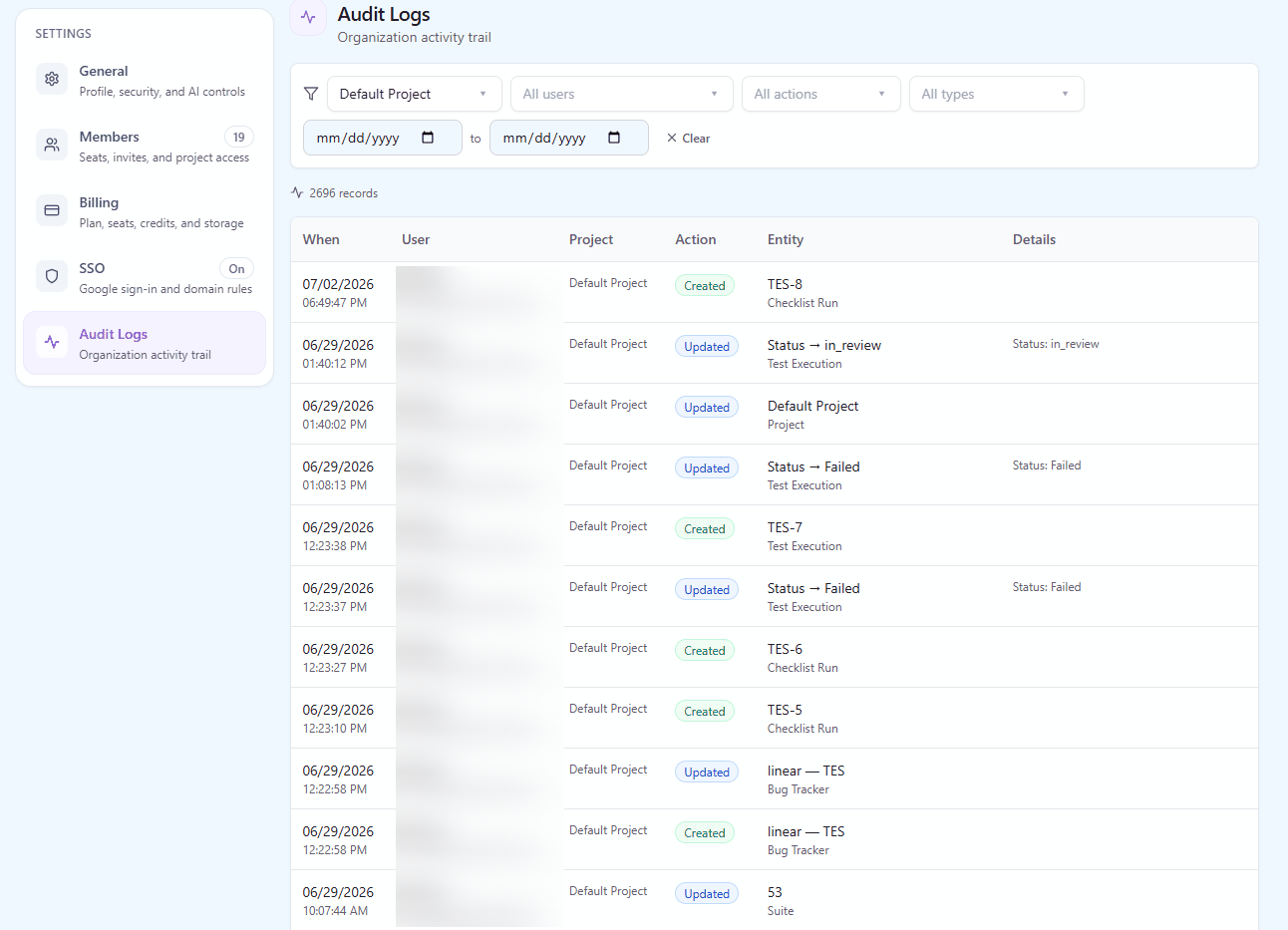
Every create, update, delete and move recorded with the actor, the entity and a snapshot of what changed.
The audit log is written by every mutation in the product, not bolted onto a few sensitive screens. Each entry carries who did it, what they touched, when, and a snapshot of the entity – so "this case used to say something else" is a question with an answer.
Organization admins see their own organization’s history, filtered by entity, action, user and period.
- Create, update, delete and move, across every entity type
- Entity snapshots, not just an action name
- Filterable by user, entity, action and date range
- Organization-scoped, and exportable for review
Organizations & projects
One workspace per company, any number of projects inside it, and settings that belong to the project using them.
An organization owns its users, its projects and its policies. Inside it, each project carries its own suites, integrations, AI context, custom fields, modules and members – so a mobile team and a platform team can work in one workspace without inheriting each other’s conventions.
Six switches per project make that concrete. Automation, Requirements and Checklists turn a whole module on or off: switched off, it disappears from the interface rather than sitting there as an empty screen, and nothing is deleted. Fast run results makes a pass a single click, Auto-split steps shows one step per row in Run Mode, and Markdown formatting renders headings, lists, tables and code in steps and expected results.
- Unlimited projects on a paid plan
- Per-project modules: Automation, Requirements, Checklists, Fast run results, Auto-split steps, Markdown
- Per-project settings, integrations and members
- Starred projects and a cross-project home view
- Per-project AI context, templates and preferences
Your data: export, archive, deletion
Download everything as one ZIP, restore a deleted project for 14 days, and have the organization deleted on request when you leave.
An Organization Admin downloads all data in one click from Organization Settings: a ZIP with a folder per project holding its test cases, checklist checks, requirements and custom field definitions as CSV. The files open in Excel or Google Sheets and import back through the CSV import, and the export keeps working after a trial or a subscription has ended. Your data stays yours.
Deleting a project is reversible for 14 days: it moves to the Archive, where an Organization Admin can restore it. Leaving altogether is a request rather than a button: the organization Owner files it, we verify it is genuine, and the organization is deleted on the date asked for. Until then the Owner can withdraw it.
- Full export as a ZIP of per-project CSV files, on every plan
- Available even after a trial or subscription has ended
- Deleted projects restorable from the Archive for 14 days
- Organization deletion on request, verified and scheduled