

Import & migration
Leaving another tool is the part of switching that actually costs time, so it is a built-in feature: import wizards for TestRail and Qase move cases, runs, results, attachments and your team, CSV import covers everything else, and a sample project lets you explore before importing anything.
Import & migrationNew
Move in from TestRail or Qase with an import wizard, or bring test cases, checklists and requirements in from CSV.
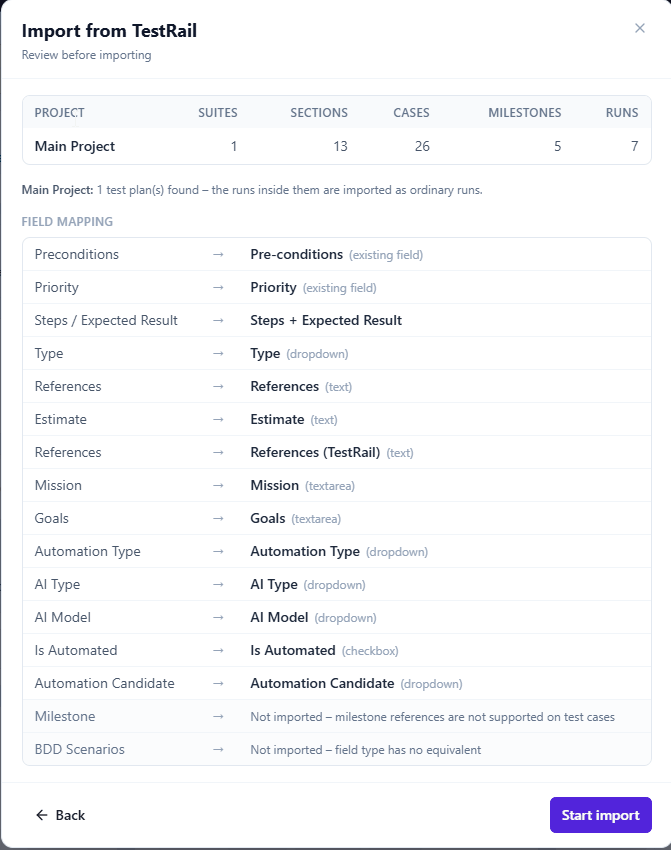
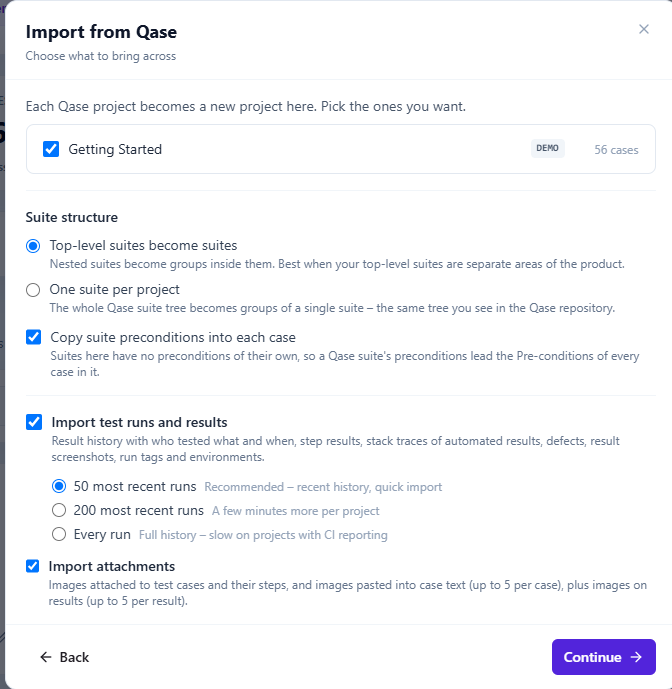
Leaving another tool is the part of switching that actually costs time, so it is a built-in feature rather than a services engagement. TestRail and Qase each have an import wizard that moves test cases, test runs with their results, milestones, attachments and your team, with a field mapping you review before anything is written. CSV import covers test cases, checklist checks and requirements for everything else.
A sample project seeded with realistic data is available on demand, with a guided tour for every role, so you can look around a populated workspace before importing anything of your own.
- Import wizards for TestRail and Qase: cases, runs, results, attachments and team
- An editable field mapping, previewed before the import starts
- CSV import and export for cases, checklists and requirements
- A ready-made sample project and a guided tour to explore before you migrate
- Stable numbering preserved, so links keep resolving