Requirements & milestones
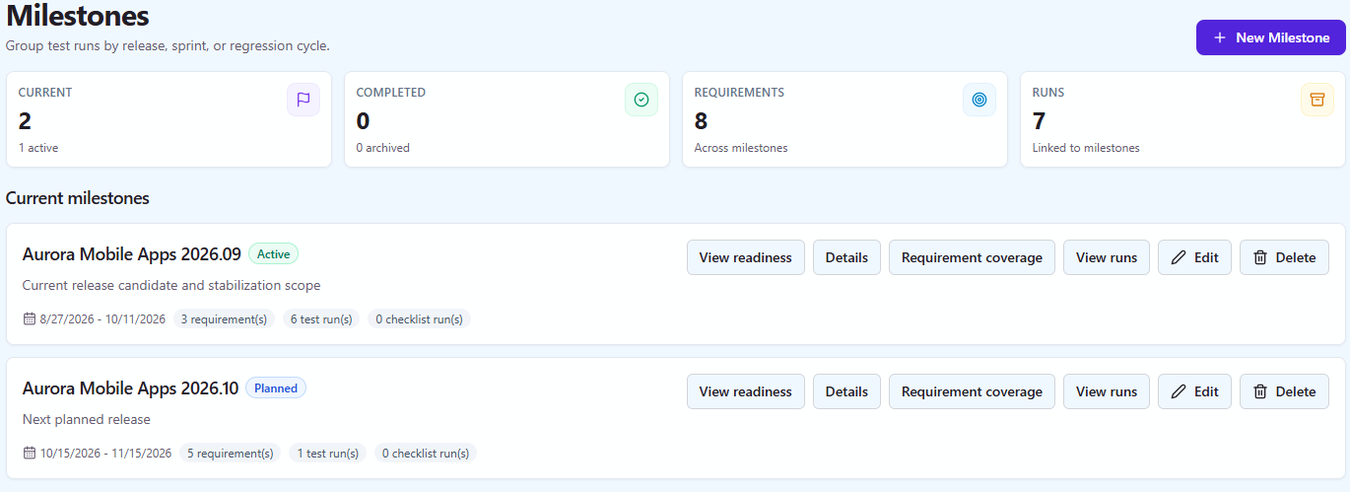
Requirements come in from any of seven issue trackers or from CSV and link to the test cases that cover them. Milestones collect the runs and requirements of a release and derive a daily burndown and an on-track, at-risk or overdue forecast from real execution history.
Requirements & traceability
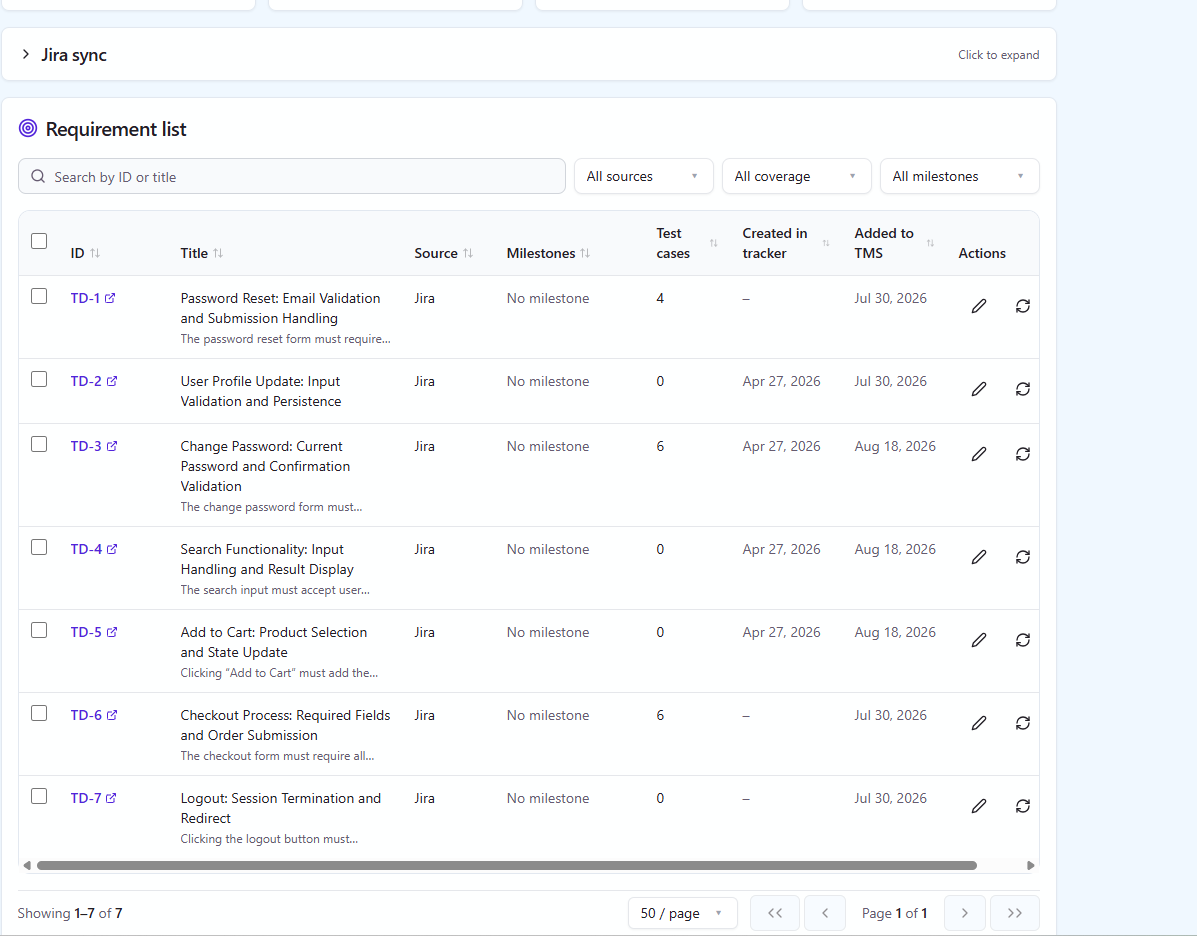
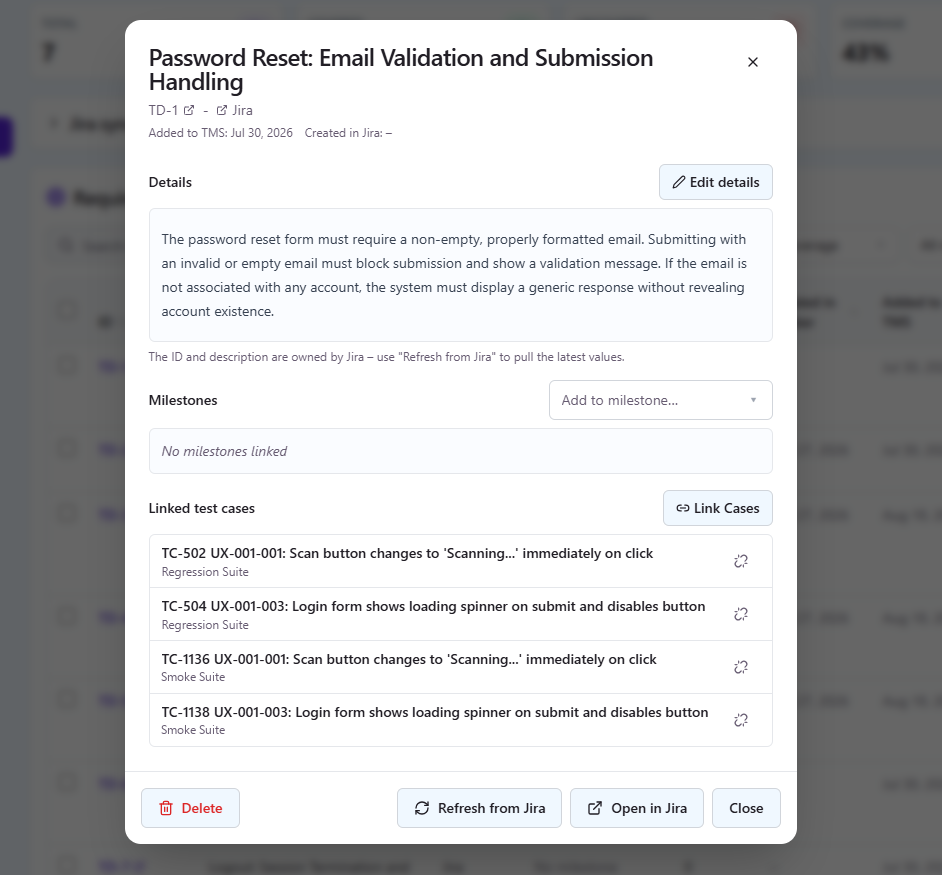
Link test cases to requirements – imported from your tracker or written by hand – and see coverage in both directions.
Requirements can be synced from Jira, GitHub, GitLab, Linear, Asana, Redmine, Trello, Azure DevOps, ClickUp, YouTrack, Shortcut or ServiceNow, imported from CSV or created directly in QAM Hub, then linked to the test cases that cover them. Coverage reads both ways: which requirements have no tests, and which tests exist for no stated requirement.
Because linked defects hang off the same graph, a requirement shows its cases, its runs and the issues found against it – which is the answer to "is this actually done?" that a ticket board cannot give.
- Requirement sync from all seven trackers, CSV import, or manual entry
- Many-to-many links between requirements and test cases
- Coverage and traceability reports, with the gaps called out
- Requirements grouped under milestones for release scope
Milestones & release readiness
Group runs and requirements under a milestone and watch it burn down towards a date you can defend.
A milestone collects the test runs, checklist runs and requirements that belong to a release. From them QAM Hub derives a burndown – remaining versus total executions, replayed day by day from real execution history – and an on-track, at-risk or overdue forecast from the last week of actual burn rate.
The release readiness report puts the same scope in front of a stakeholder: what is covered, what failed, what is blocked, and what has not been touched.
- Test runs, checklist runs and requirements under one milestone
- Daily burndown replayed from execution history, with a forecast
- Release readiness report, exportable to PDF
- Overdue and undated milestones both surfaced, never hidden