

Test automation management
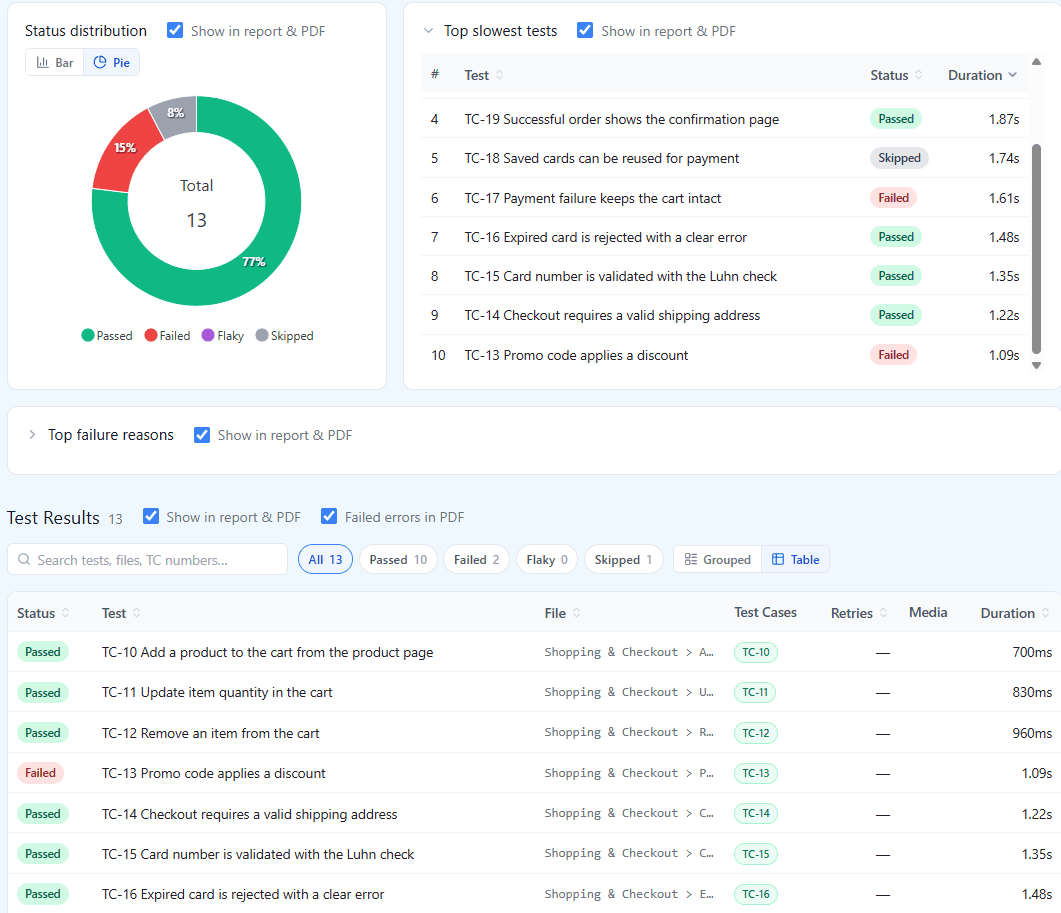
Add the official reporter to your Playwright or Cypress config, or upload JUnit XML from WebdriverIO, Selenium, Robot Framework or any other framework with one CLI command, and every pipeline run publishes its results to QAM Hub: the spec hierarchy, statuses, durations, screenshots, videos and traces, matched to manual test cases by case number.
Playwright & Cypress reporters
Official npm reporters push CI results into QAM Hub after every run, linked back to your manual test cases by number.
Add the reporter to your Playwright or Cypress config and your pipeline starts publishing results automatically – the full spec hierarchy, per-test status and duration, plus screenshots, videos and traces. No custom upload script, no glue code to maintain. WebdriverIO, Selenium, Robot Framework and every other framework that writes JUnit XML report through the qam-hub CLI instead, and the in-app setup guide has the exact steps for each stack and CI.
Automated tests link back to manual cases by case number, which is why those numbers are never reused. The result is one coverage picture: this case is covered by automation, that one is still manual, this one is covered by neither.
- Official npm reporters for Playwright and Cypress
- JSON report upload as a fallback, up to 40 MB
- Setup guide per stack (JS/TS, Java, Python, .NET) and CI (GitHub Actions, GitLab CI, Jenkins, Azure Pipelines)
- Automated results matched to manual cases by number
- Automation coverage shown next to manual coverage
Automated test history
Every automated test gets its own record across runs, so you can tell a real regression from a flaky spec.
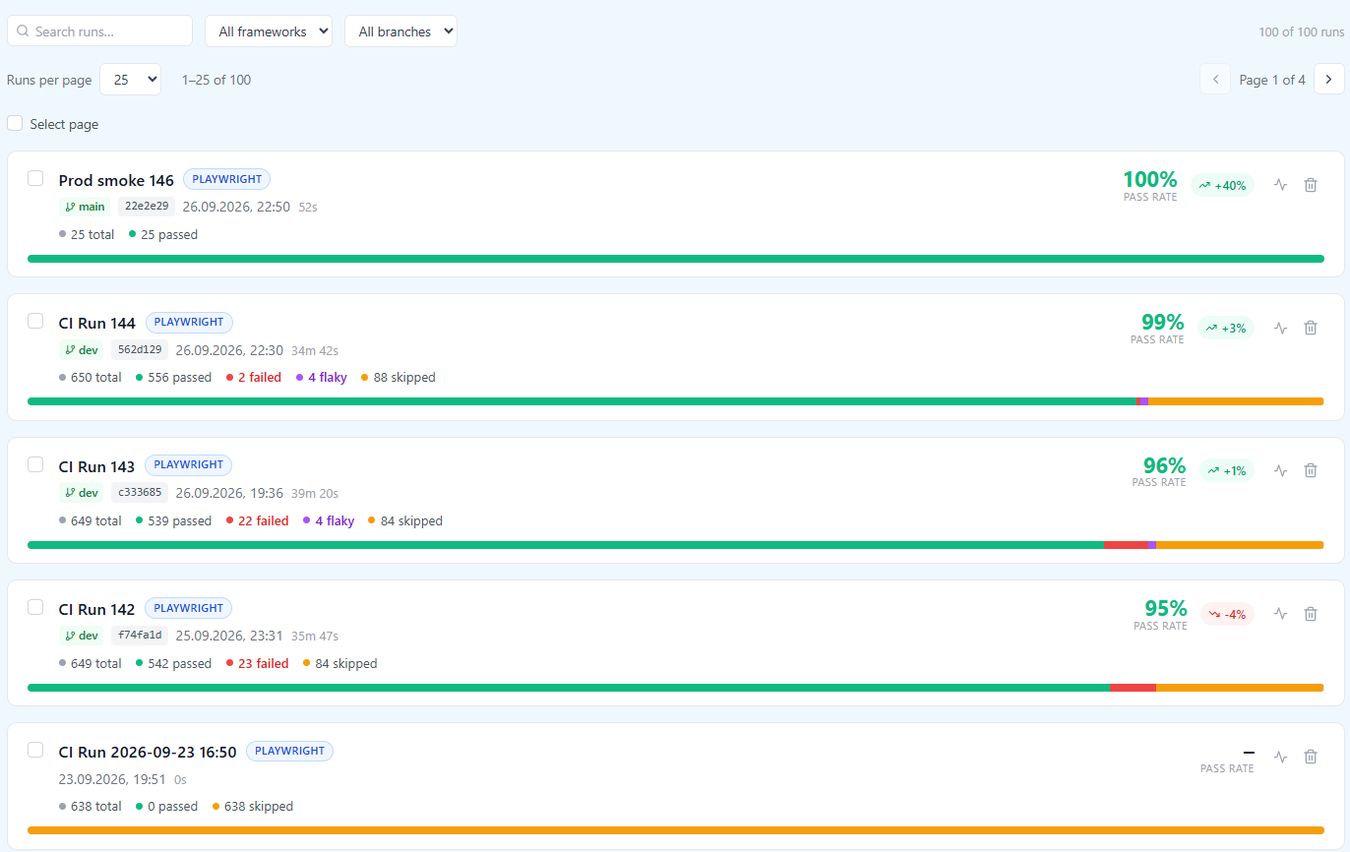
Uploaded runs are not just archived reports. Each automated test is registered once and its results accumulate against that record, so you can open a single spec and see how it has behaved over the last weeks – consistently green, newly broken, or flipping between the two.
That history is what makes an automated suite maintainable: flaky tests become visible as flaky, rather than as noise everyone learns to ignore.
- A per-test record spanning every run
- Run-over-run status, duration and failure history
- Newly failing and newly passing tests called out, compared with the previous run of the same framework and branch
- Runs filtered by branch, framework and name, with commit and CI build links
- AI analysis of a run: health by area and what to look at first
Screenshots, videos & traces
Failure evidence from CI is stored with the result – screenshots, videos and Playwright traces, ready to open.
A failed CI test without its artifacts is a line of red text. QAM Hub stores the screenshots, videos and traces your reporter produced alongside the execution, so triage starts from the evidence instead of a re-run.
Because machine-generated media is what actually consumes storage, videos and traces are kept for the retention period of your plan and then swept, while manual attachments, library images and screenshots are never touched by retention.
- Screenshots, videos and traces attached to the execution
- Object storage behind presigned URLs, never a public bucket
- Retention applies to CI videos and traces only
- A per-category storage breakdown, visible to the organization