Test case management
Test cases in QAM Hub are real records with steps, expected results, custom fields and attachments, organized in suites and groups. Runs snapshot a scope, testers work through it, and every status change is kept with who set it and when.
Test cases & suites
Write structured test cases in suites and nested groups, with steps, expected results, attachments, tags and custom fields.
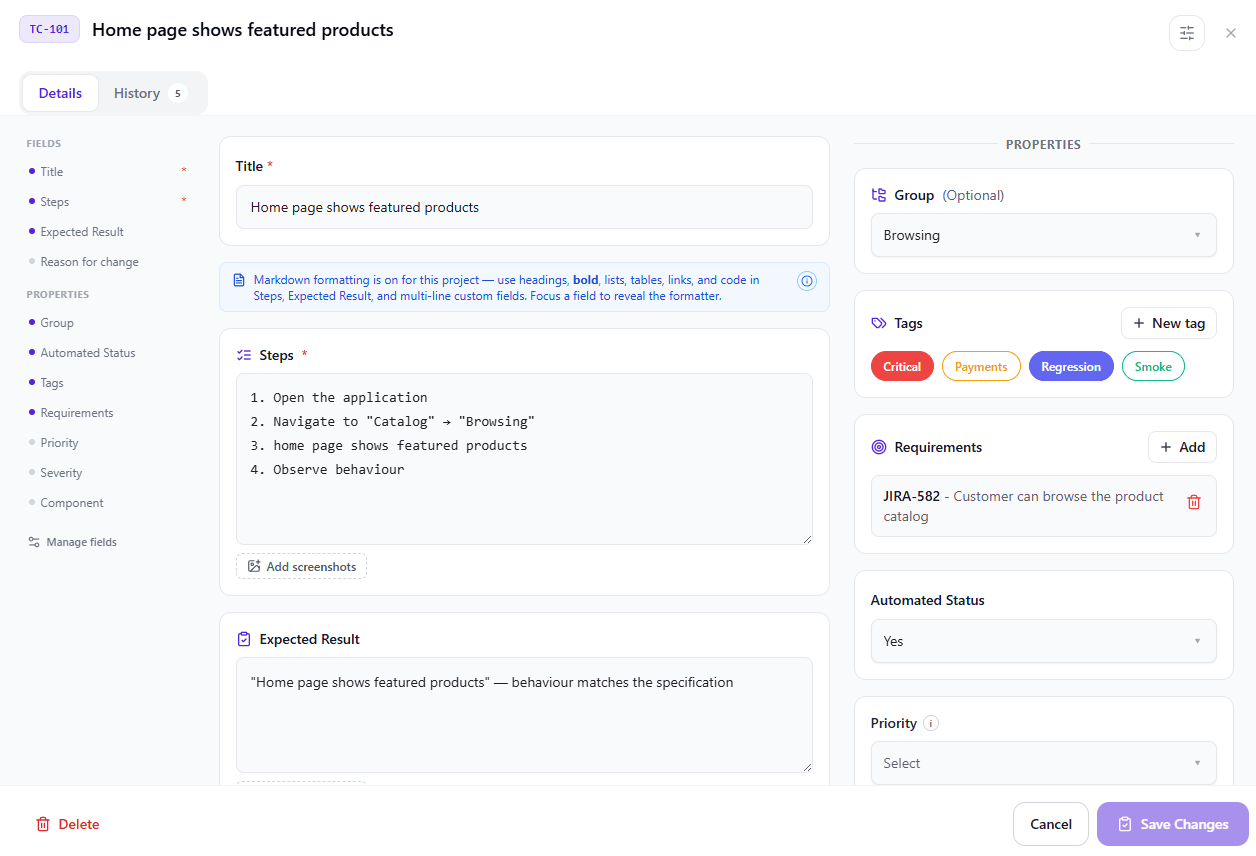
A test case in QAM Hub is a real record, not a spreadsheet row: numbered steps, expected results, preconditions, priority, tags, custom fields and image attachments on individual blocks. Cases live in suites, and suites are organized into groups and subgroups you can reorder by dragging, so the structure follows your product rather than the tool.
Every case gets a project-wide number that is never reused. That number is what automated reports, deep links and linked issues point at, so a link written a year ago still resolves to the same case.
- Suites, groups and subgroups with drag-and-drop ordering
- Bulk edit, move, duplicate, tag and delete across a selection
- CSV import and export, plus import wizards for TestRail and Qase
- Stable per-project case numbers that survive deletions
- Markdown in Steps and Expected Result, kept when a bug is filed from the case
Templates & custom fields
Define the fields your team actually fills in, and start every case from a template instead of a blank page.
Custom fields let a project capture what matters to it – component, environment, automation status, regression flag – as typed fields rather than free text buried in a description. Templates bundle a field layout and starting content so a new case begins half written, in the format the team already agreed on.
Each field has its own switches: Required, Show in Run Mode and Include in AI. A Recommended fields panel creates the fields other test management tools ship by default – Priority, Severity, Test Type, Environment and more – in one click, with their options already filled in. Field order, which built-in fields are visible, and which templates exist are all per-project settings, so two teams in the same organization can work differently without arguing about a shared schema.
- Up to 20 custom fields per project: text, textarea, checkbox, dropdown and number
- Required, Show in Run Mode and Include in AI switches on every field
- Recommended fields: one-click presets such as Priority, Severity and Environment
- Reusable test case templates with their own field sets
- Show, hide and reorder built-in fields, and bulk-set values across a selection
Custom execution statusesNew
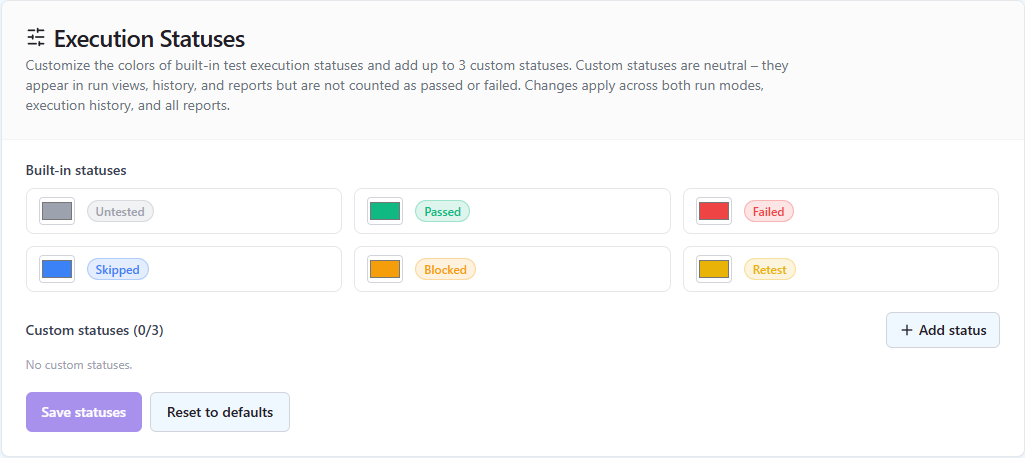
Recolor the built-in statuses and add up to three of your own next to Passed, Failed, Blocked, Retest and Skipped.
Every team has an outcome or two that fits none of the built-in statuses: a case that does not apply to this build, a check that passed with a caveat, a scenario deferred to the next release. Forcing those into Skipped or Blocked makes the numbers lie, so each project can add up to three statuses of its own, with a name and a colour, and recolor the built-in ones.
A custom status is neutral: it never counts as passed or failed, so "Passed with remarks" cannot inflate a pass rate and "Not applicable" is never read as a failure. Custom statuses apply to test runs and show up in the run table, Run Mode, execution history and every report. Deleting one resets the executions that used it to Untested, and the TestRail and Qase imports bring custom result statuses across.
- Up to three custom statuses per project, plus recolored built-in ones
- Neutral by design: never counted as passed or failed
- Shown in the run table, Run Mode, execution history and every report
- Custom result statuses carried over from TestRail and Qase imports
Version history & rollback
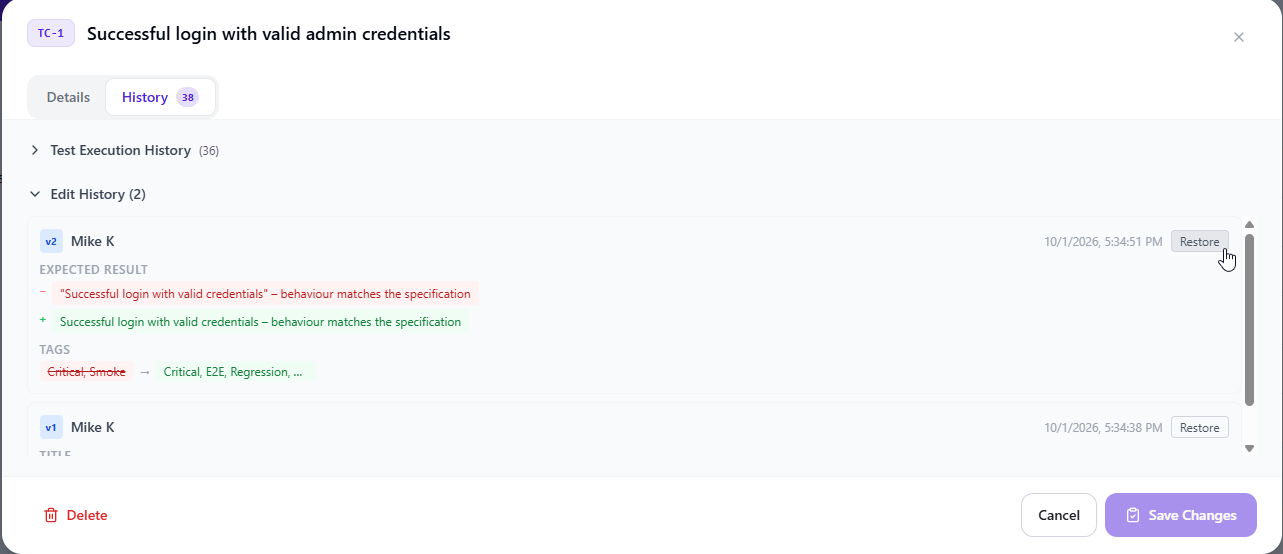
Every change to a test case is snapshotted, so you can see what it used to say and restore an earlier version.
Test cases change constantly, and "who edited this, and why does it no longer match the feature?" is a question spreadsheets answer with a revision log nobody can read. QAM Hub snapshots a version on every mutation, shows the history on the case itself, and restores any earlier version in one action.
Execution history is kept separately and just as carefully: every status change in a run, every checklist cell edit and every agent run result stays attached to the case, so the record of what was tested is not rewritten when the case text moves on.
- A snapshot per edit, with a history tab on every case
- Restore an earlier version without losing the newer ones
- Separate execution history per case, run and checklist cell
- Snapshotted titles in finished runs, so renames never rewrite a record
Attachments & file library
Attach screenshots, PDFs, documents, logs and videos to a test case, and reuse files across cases from a deduplicated project library.
A case takes the files a tester actually needs: screenshots, PDF specs, Word and Excel documents, logs, CSV and JSON test data, ZIP archives and short videos, attached to the Steps or the Expected Result and shown right there in Run Mode. Captions and ordering come with every file, and executions and agent runs keep their screenshots with the result.
Behind them is a project-level library: every upload is hashed, so the same file used in twenty cases is stored once. Admins can replace a file in place and every usage updates at once, run deduplication, and clean up assets nothing references.
- Images, PDF, Office documents, text, logs, CSV/JSON/XML, ZIP and video
- Project-wide file library with SHA-256 deduplication
- Replace a file in place across every case that uses it
- Attach from the library instead of re-uploading
- Filter by Used and Unused, merge duplicates, download a selection as a ZIP
Test runs
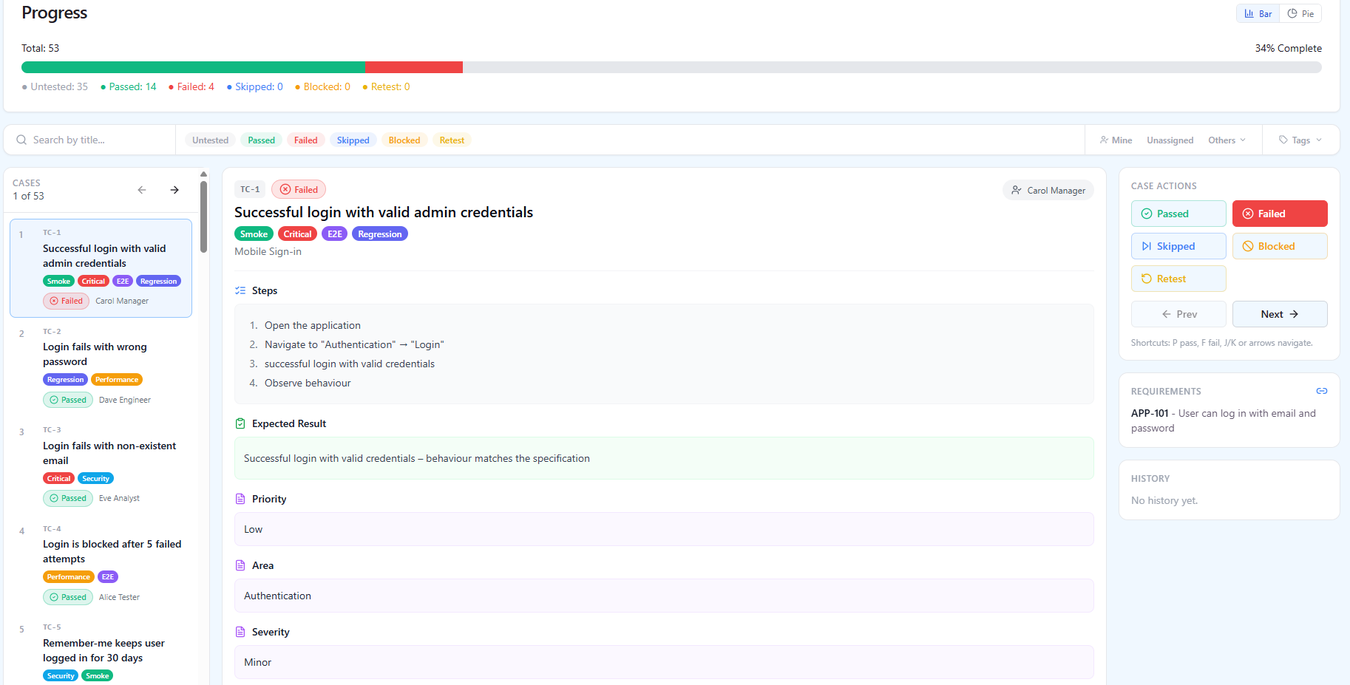
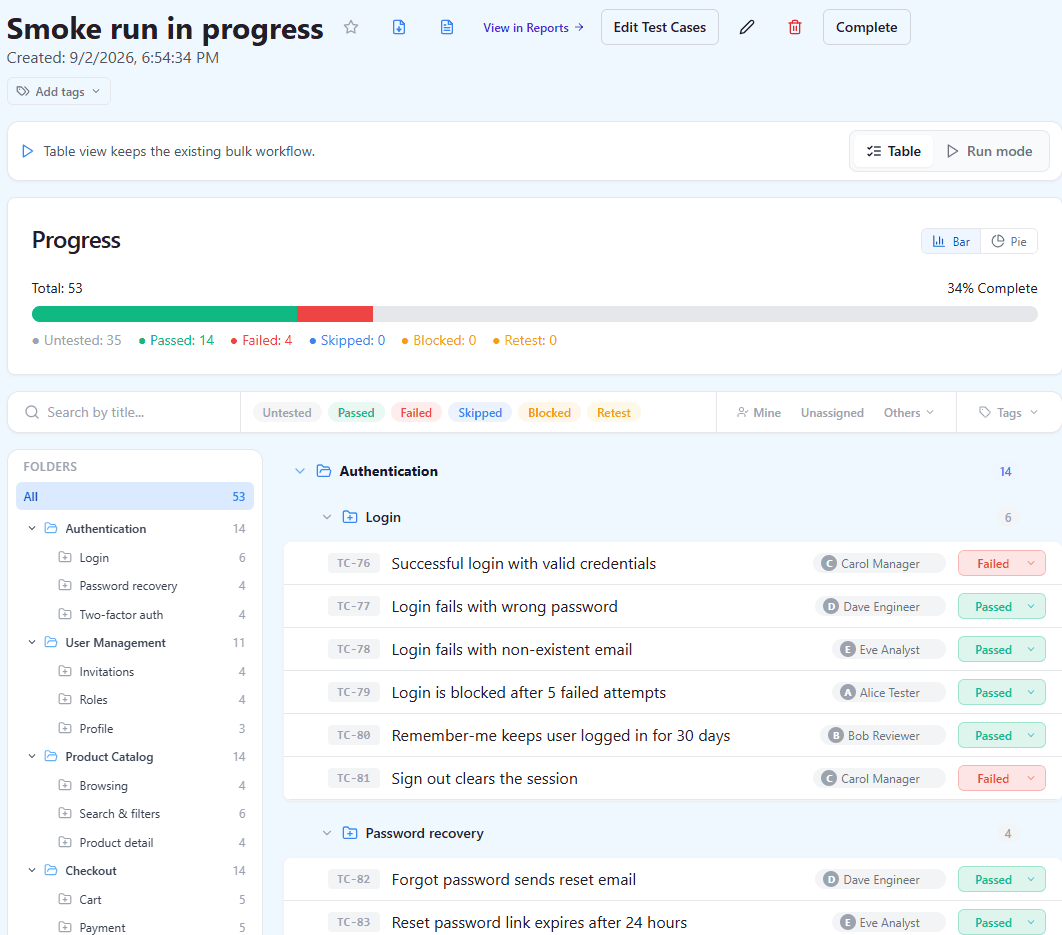
Pick the cases, assign testers, and record Pass, Fail, Blocked, Retest, Skipped or a status of your own, with comments and screenshots.
A run is a snapshot of scope: choose suites, groups, tags or individual cases, assign executions per tester, and work through them. Each execution takes a status, a comment and attachments, and every status change is recorded with who set it and when.
Progress is visible while the run is still open – pass rate, remaining cases, per-tester load – and the pass rate deliberately excludes untested and skipped cases from the denominator, so an unfinished run never reads as a quality drop.
- Pass / Fail / Blocked / Retest / Skipped, plus up to three custom statuses
- Per-tester assignment, an "Assigned to me" filter and bulk status entry
- Fast run results: a pass is one click, a failure still asks for a comment
- Auto-split steps, so Run Mode shows one step per row, and keyboard shortcuts to move between cases
- Compare 2 to 6 runs side by side, with an "only differing results" filter
- Run tags, kept in their own dictionary separate from case tags
- Full execution history per case, kept after the run closes