

QAM Hub features tour: one place for manual, automated and AI testing
Nine areas, one workspace. Pick the one you care about – every heading opens a page with the full detail.
Test case management
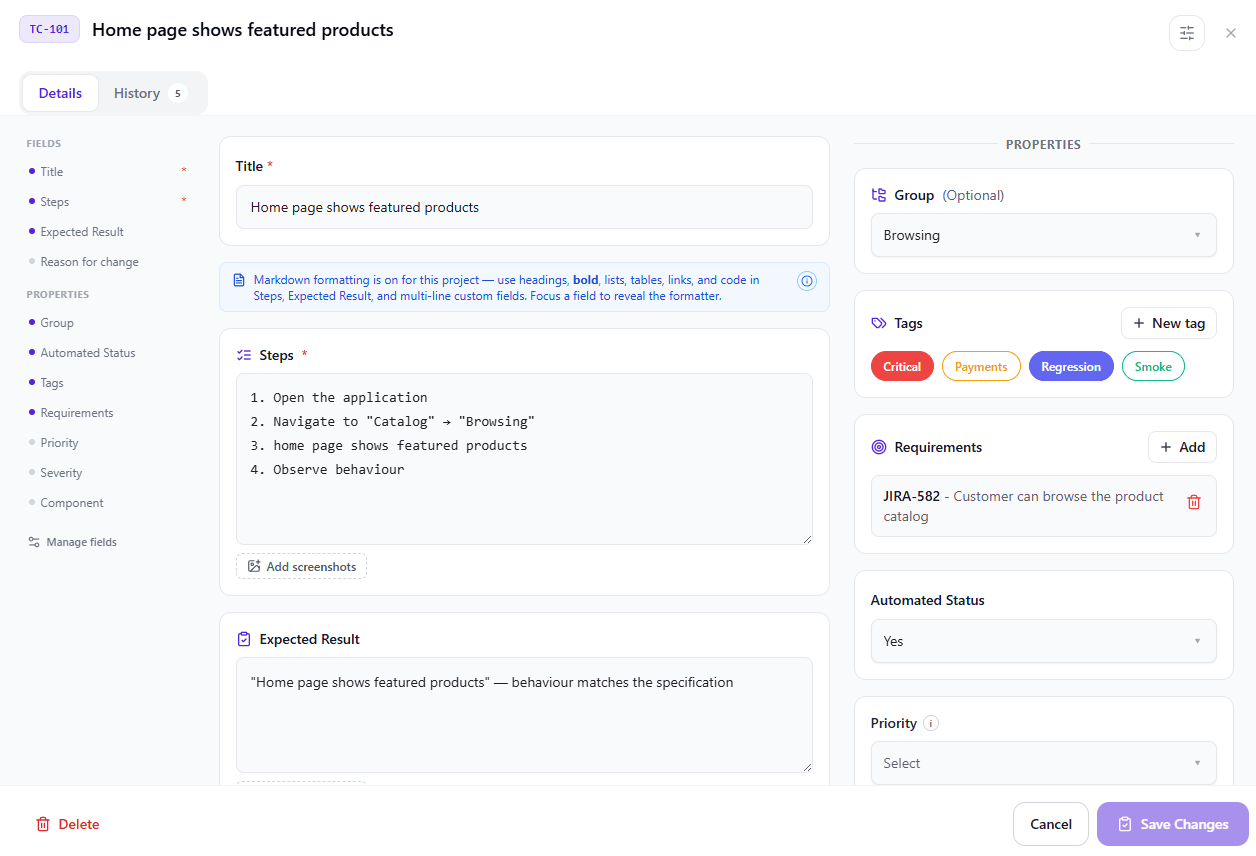
Structured test cases, test runs and results – with history, attachments and defects in one place.
Learn more about Test case management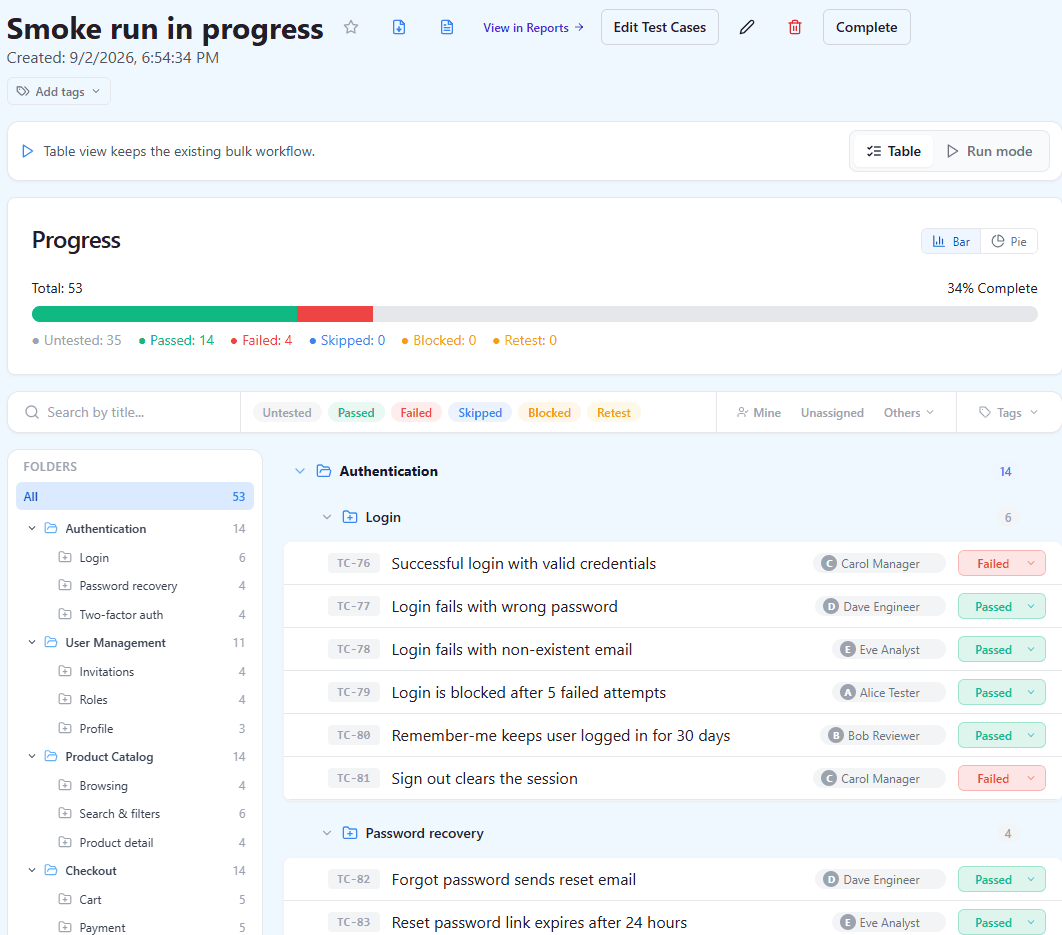
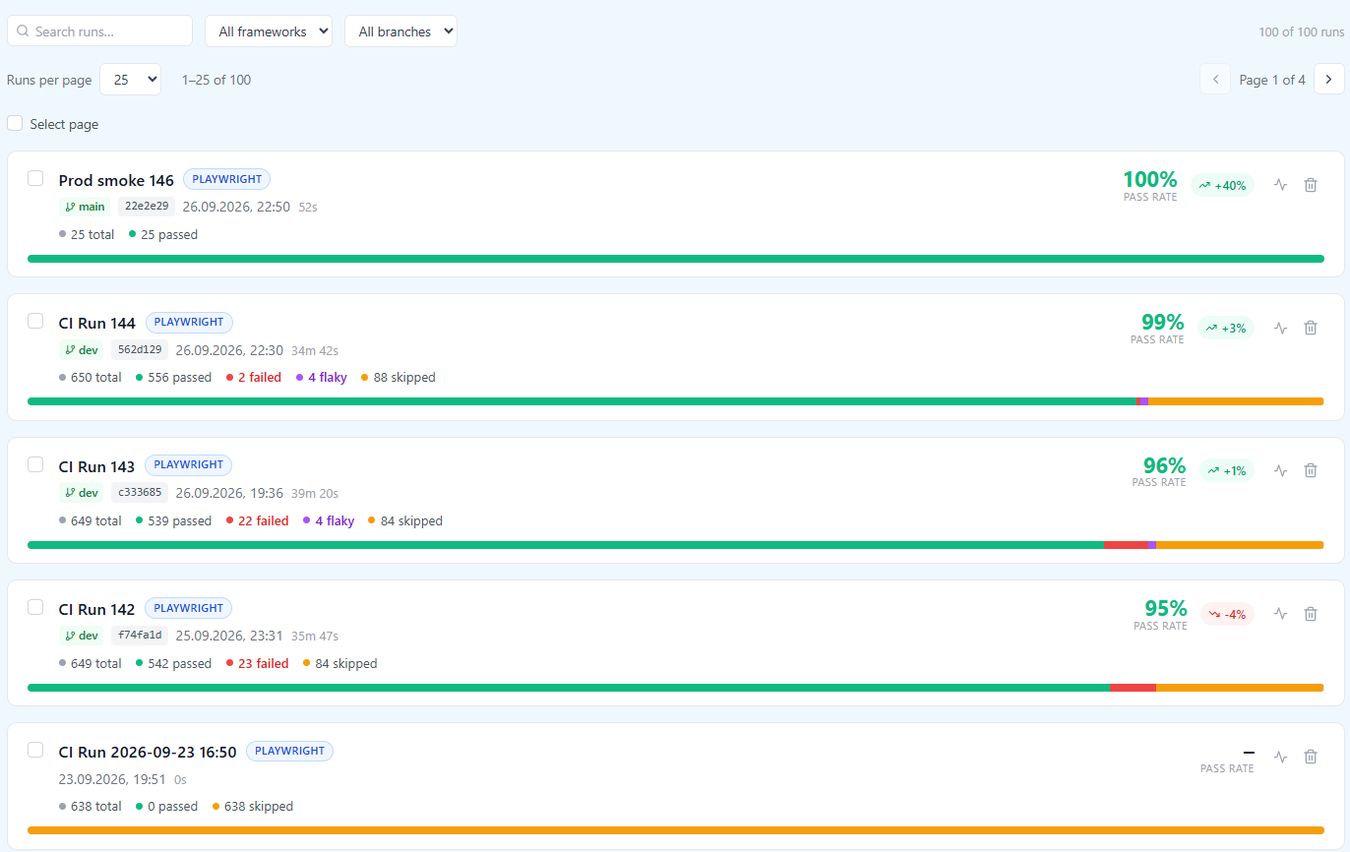
Reporting & dashboards
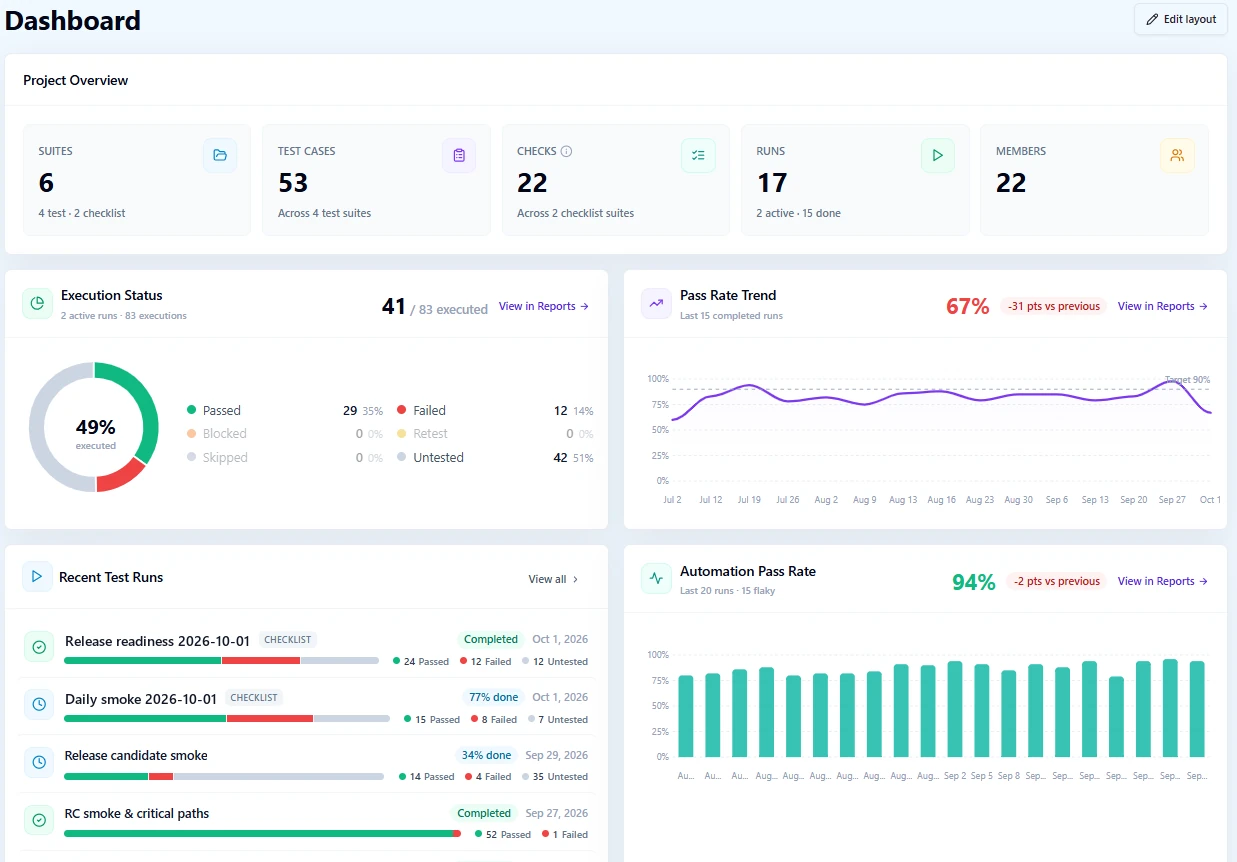
Per-user dashboards, 10+ report types with PDF and CSV export, and a health view across every project.
Learn more about Reporting & dashboards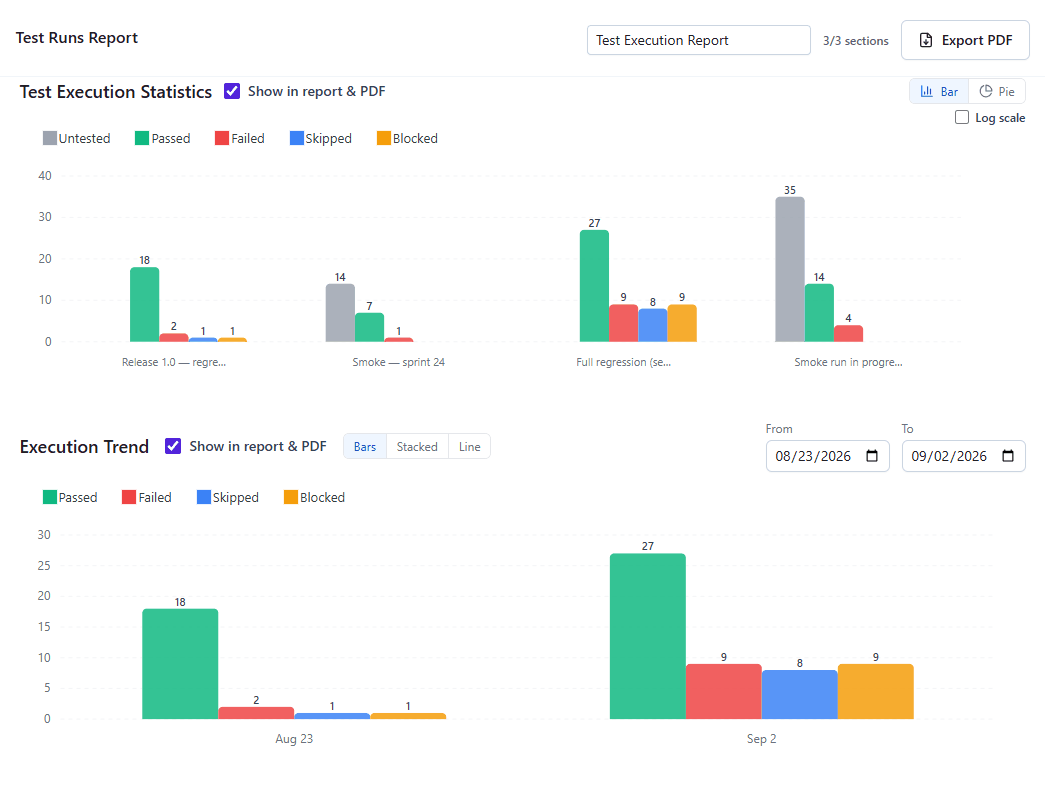
Test automation management
Playwright, Cypress, WebdriverIO, Selenium and JUnit XML results from CI land next to manual results, linked to your cases by number.
Learn more about Test automation management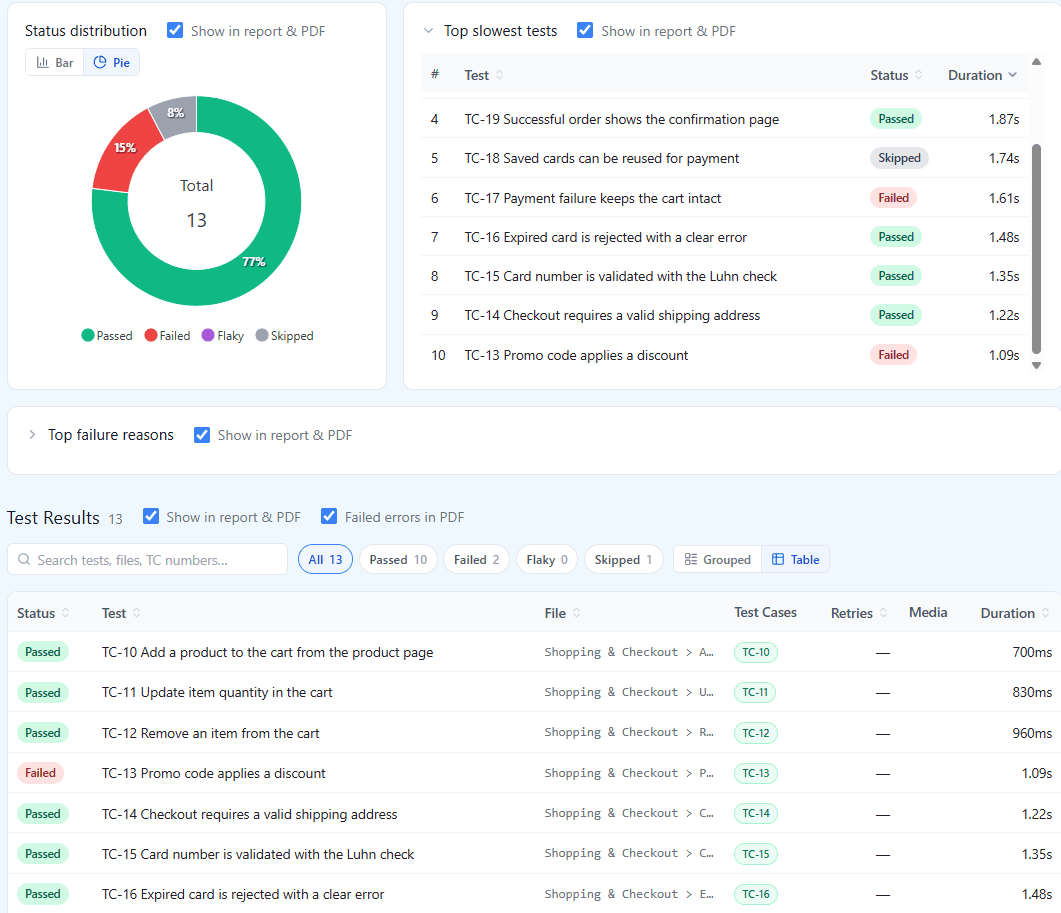
AI-assisted testing
Generate test cases, find weak ones and run regression with an AI agent – a human reviews every result.
Learn more about AI-assisted testing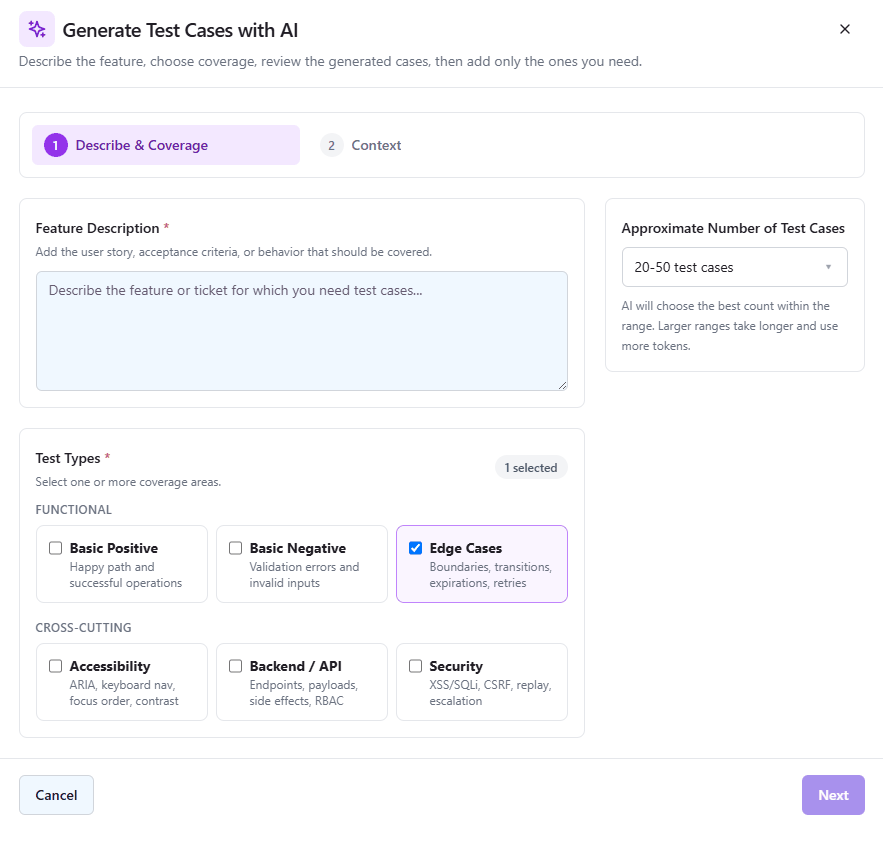
Works with the tools you already use
- Jira
- GitHub
- GitLab
- Linear
- Asana
- Redmine
- Trello
- Azure DevOps
- Playwright
- Cypress
- WebdriverIO
- Selenium
- JUnit XML
- Google SSO
- MCP / Claude
- TestRail import
- Qase import
Keep exploring
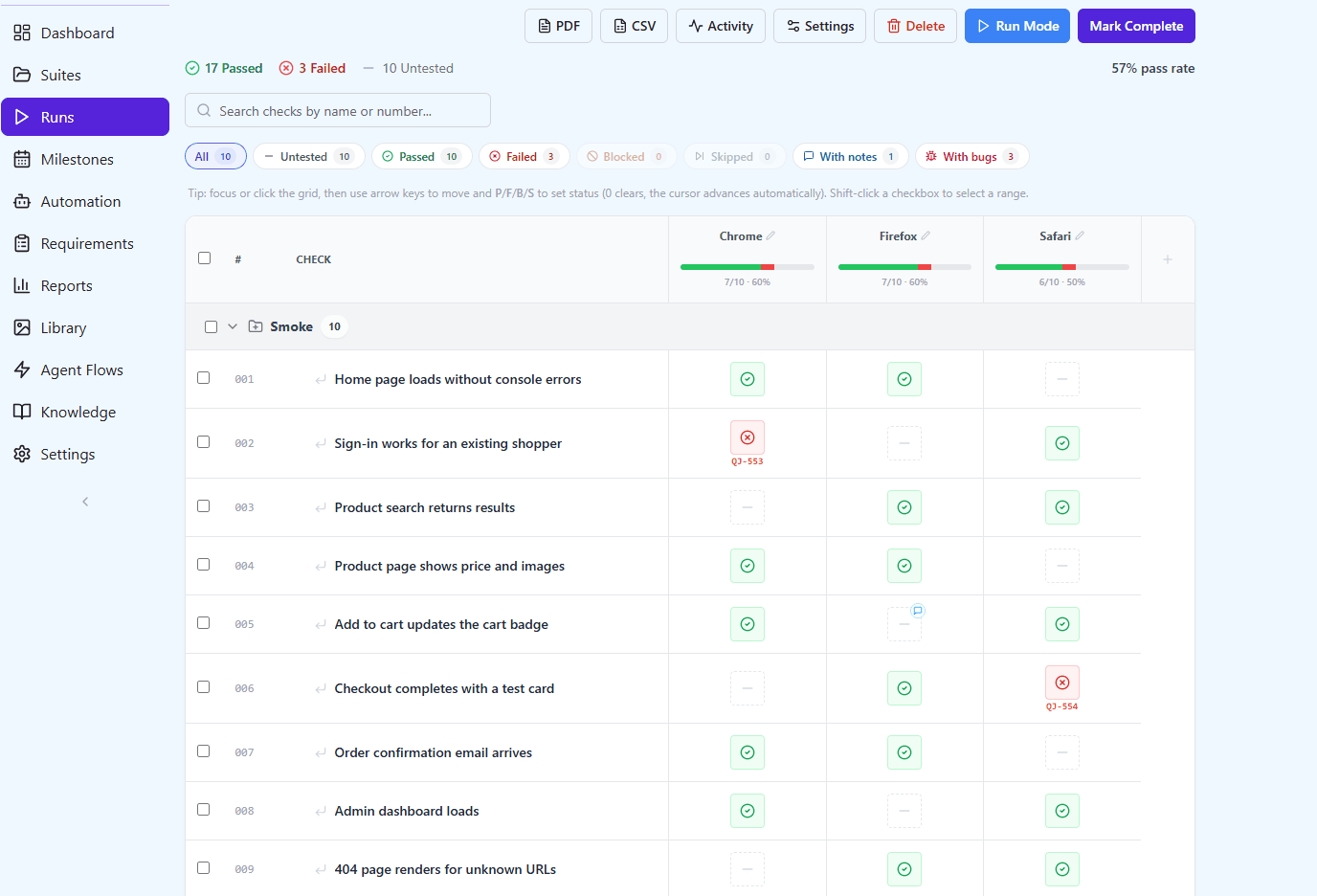
Checklists
Lightweight checklist testing for smoke, cross-browser, UAT and release sign-off: a column per browser or build, locked results and a history for every cell.
Learn more about Checklists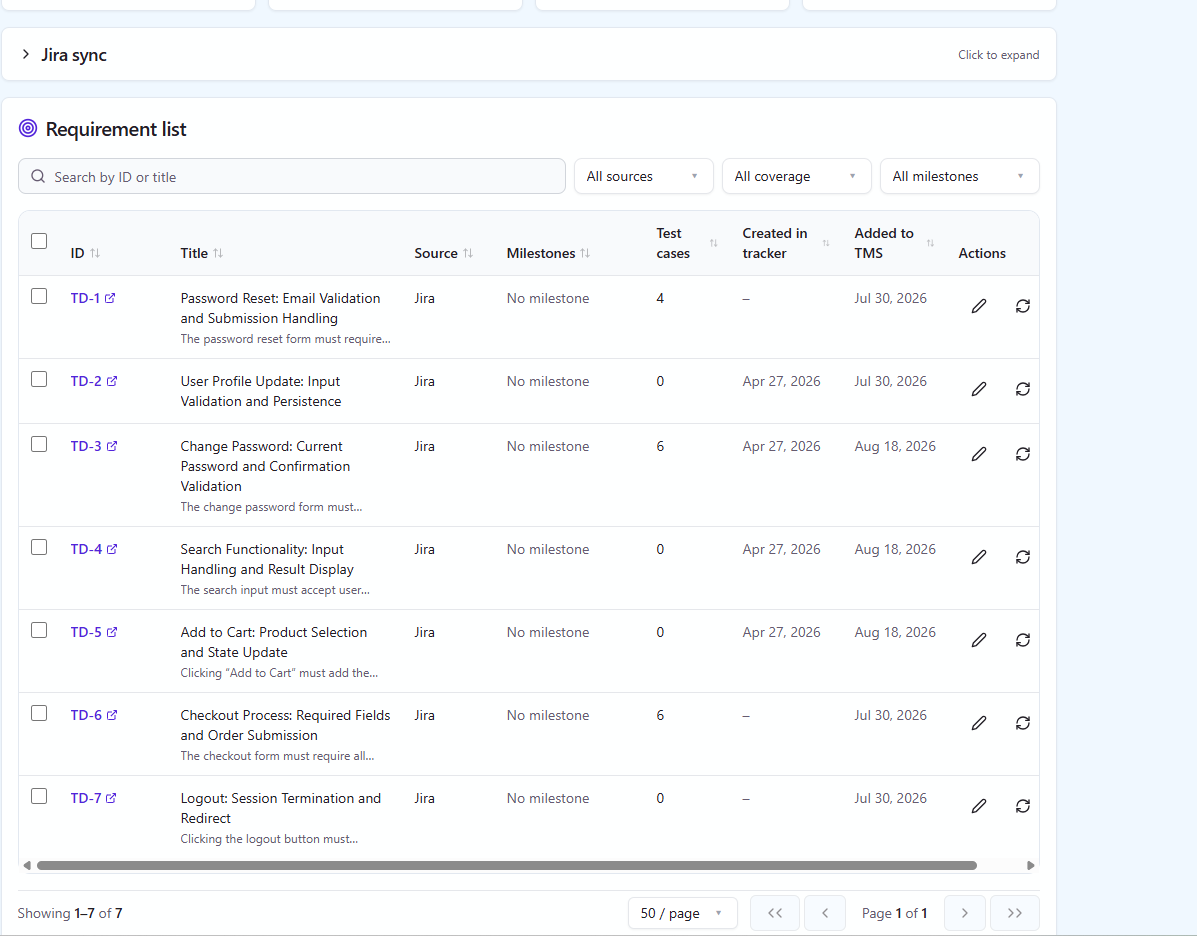
Requirements & milestones
Trace requirements to cases and runs, and watch a release burn down towards a date you can defend.
Learn more about Requirements & milestones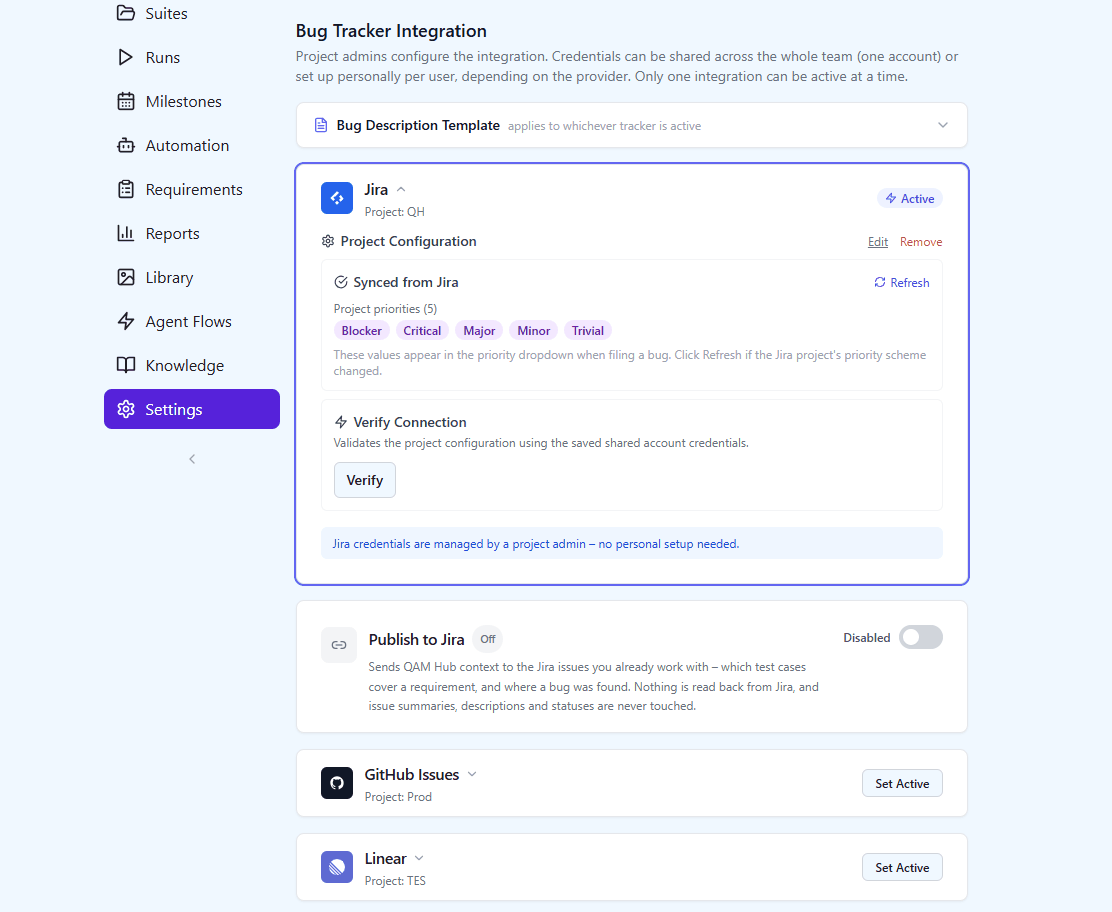
Integrations & API
Jira, GitHub, GitLab, Linear, Asana, Redmine, Trello, Azure DevOps, ClickUp, YouTrack, Shortcut and ServiceNow for issues, publishing back into the tracker, a REST API and an MCP server for AI agents.
Learn more about Integrations & API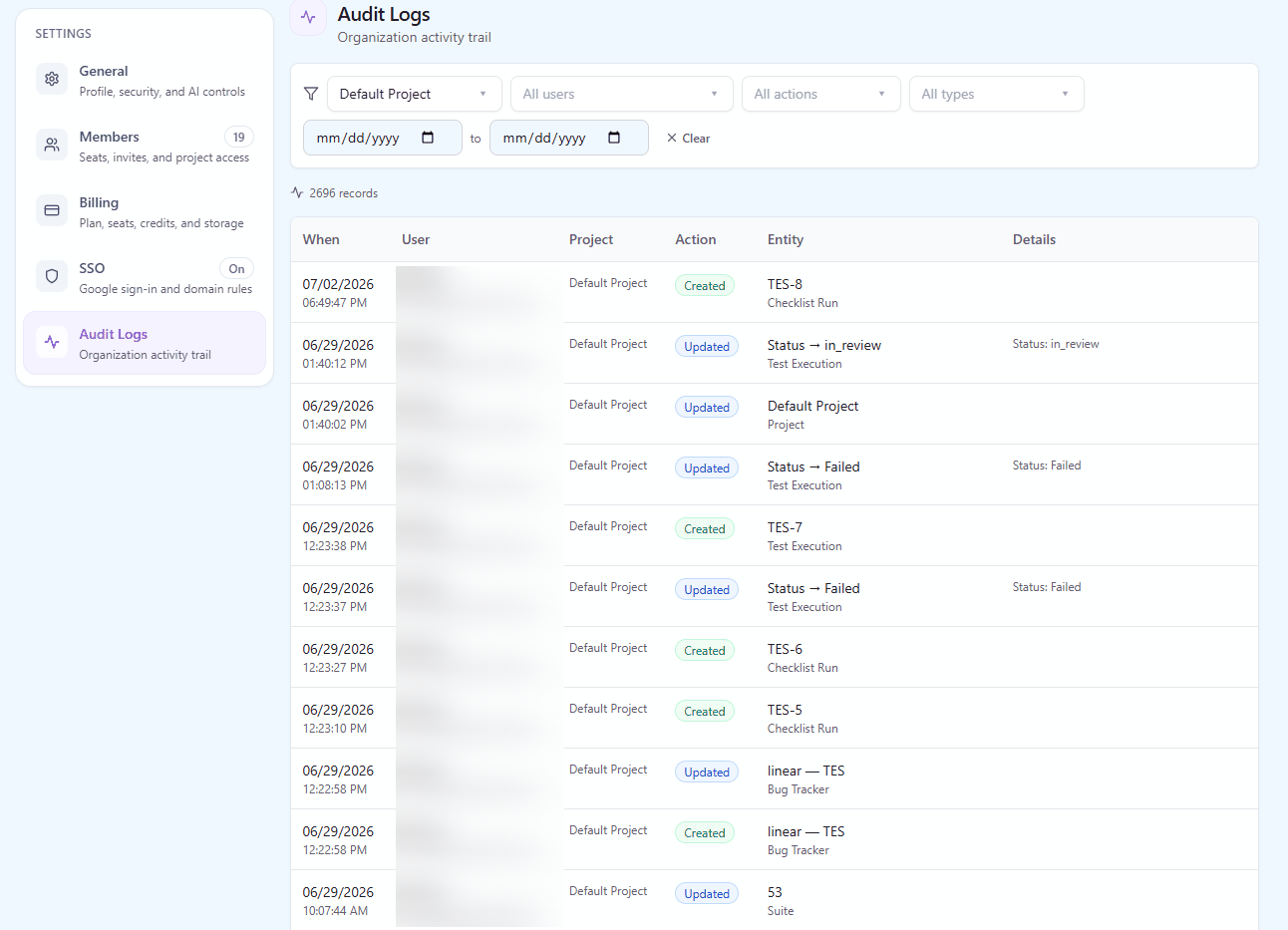
Team & security
Organization and project roles, free read-only seats, Google SSO, two-factor auth, a full audit log and a one-click data export.
Learn more about Team & security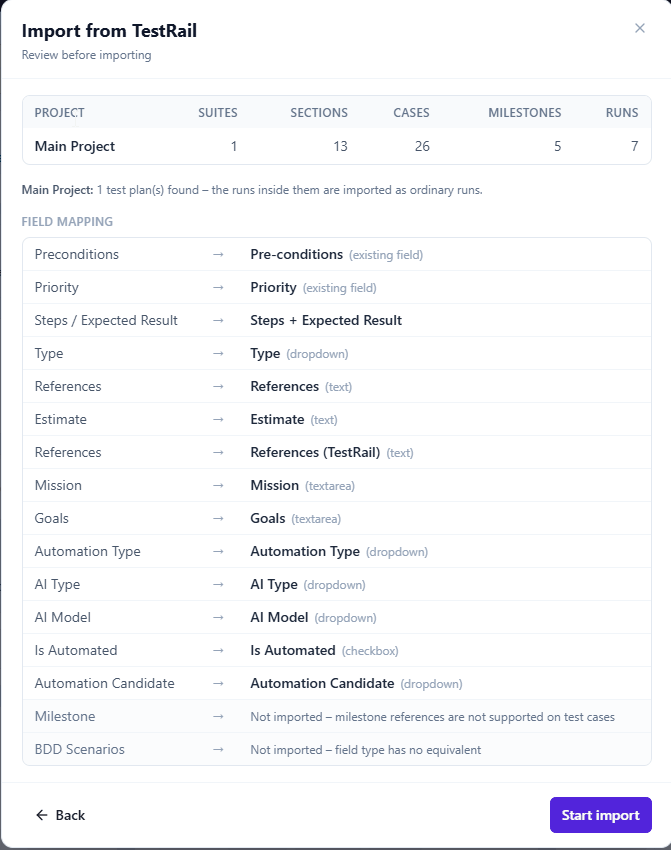
Import & migration
Move from TestRail or Qase with an import wizard, or import cases, checklists and requirements from CSV.
Learn more about Import & migrationSee it against your own test cases
Start a free trial and bring your test cases, checklists, runs and automation results into QAM Hub – or explore a ready-made sample project first.