

TestRail vs Qase in 2026: Which Test Management Tool Is Right for You?
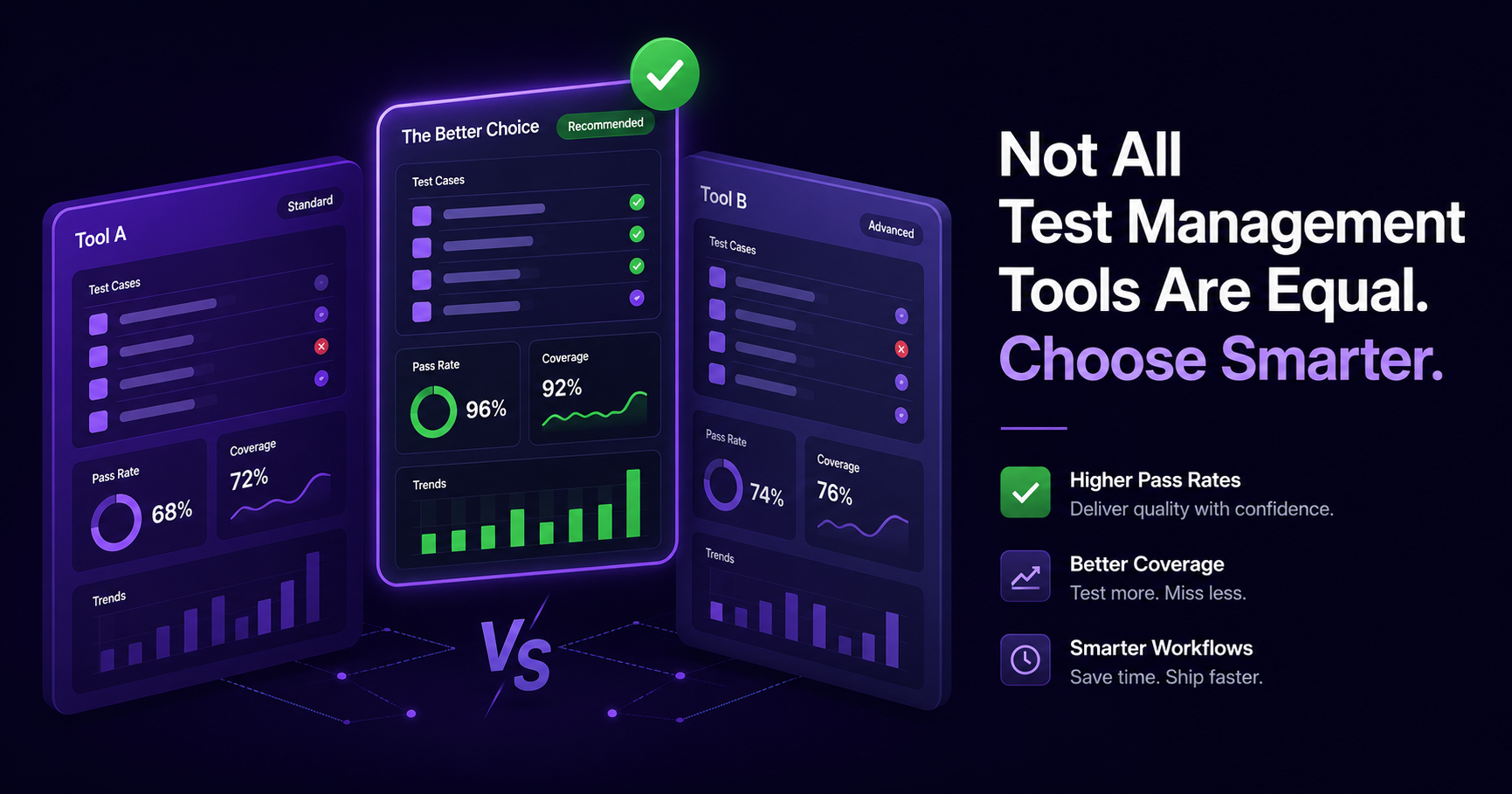
Quick verdict: the TestRail vs Qase decision turns on three things: whether you need on-premise hosting, how many people only need to read results, and how you want AI billed. TestRail is the one of the two that sells on-premise and bundles all its AI into the seat price, but every user, viewers included, is a paid seat. Qase has a free plan for up to 4 users, prices read-only Collaborator seats separately, and bills its AI from a monthly credit pool. If what you actually want is automation results, AI and stakeholder access in one modern tool, there is a third option where each paid seat carries a free viewer seat and AI features are included in every plan: QAM Hub, our own product, covered below with its limits.
This guide compares the two across the things that decide the purchase: plans and the seat model, a worked cost example, test case management, automation, built-in AI, Jira and integrations, traceability, reporting, compliance and migration. Competitor prices and plan contents were read on the vendors' pricing pages on 13 October 2026. Both vendors changed their plans in 2026 (Qase retired its Startup and Business tiers in June, TestRail added an Essentials plan), so check the live pages before you sign.
TestRail vs Qase at a glance
All figures per user per month unless stated, read on testrail.com/pricing, qase.io/pricing and qam-hub.com/pricing on 13 October 2026. G2 figures read the same day.
| Dimension | TestRail | Qase | QAM Hub |
|---|---|---|---|
| Plans | Essentials, Professional, Enterprise | Free, Teams, Enterprise | Start, Standard, Advanced |
| Paid entry (USD, billed annually) | $22 Essentials (up to 5 users, cloud only); $39 Professional | $35 Teams (5-seat minimum); $42 billed monthly | $15 Start (up to 10 paid seats); $24 Standard; $42 Advanced |
| Free plan | No | Yes: up to 4 users, 2 projects, 500 MB, 30-day history | No; 30-day trial, no card |
| Read-only stakeholders | No viewer licence; every user is a paid seat | Collaborator seats, $10 per user | One free viewer seat per paid seat |
| Built-in AI billing | "All AI features included" on all three plans | Credits: none on Free, 2,000/month Teams, 4,000 Enterprise, $0.40 per extra credit | AI features are included in every plan |
| MCP server | Every plan | Every plan | Every plan |
| Version history, approvals, SSO, audit logs | Enterprise only | See vendor plan page | Version history on Standard; Google SSO and audit logs on Advanced |
| Two-way tracker sync | Jira integration; project-level integrations not on Essentials | Jira two-way sync | Seven trackers on Standard and Advanced |
| On-premise | Professional and Enterprise, 10+ seats, 12-month minimum | Cloud | Cloud |
| Import from the other tool | n/a | Import wizard reads TestRail exports | Wizards for TestRail and Qase, runs and results included |
| G2 | 4.4 (610 reviews) | 4.7 (316 reviews) | No review record yet |
For the wider field, our best test management tools in 2026 roundup covers the full set, and the TestRail alternatives guide goes deeper on why teams leave TestRail specifically.
Why teams compare TestRail and Qase
The pairing is common because Qase was built as a modern answer to TestRail. Teams that started on TestRail years ago go looking for a like-for-like replacement when the interface feels heavy or when they are tired of paying a full seat for every stakeholder who only reads a report. Qase is the closest match in shape: a familiar suite-and-case data model and an import wizard that reads TestRail exports. So the real question behind "TestRail vs Qase" is usually "stay on the incumbent or move," with seat cost, AI billing and hosting doing most of the deciding.
For background on what this category of tool does at all, see what is a test management system.
TestRail: the established incumbent
TestRail is one of the longest-running products in the category and now sits inside Sembi, the brand Idera launched in January 2025 that also includes Xray, Testmo and Ranorex. Its core strength is organized, repeatable manual test management: suites and sections, reusable cases, runs and plans, milestones and coverage reporting. It is the tool most likely to already be in use at a large or regulated organization, and that familiarity is a feature in itself: many engineers already know it, and there is a deep pool of documentation and community answers.
What TestRail does well
Structured test case management is the heart of it. Hierarchical suites and sections, custom fields, case templates (on Professional and Enterprise) and configurable workflows let teams model an established process closely. Compliance is the real differentiator on Enterprise ($78 per user per month billed annually, read 13 October 2026), which is where versioning, review and approvals, SSO, MFA, audit logs, parameterization, cross-project reporting and daily backups live. TestRail also still sells on-premise deployment on Professional and Enterprise, with a 10-seat minimum and a 12-month term, for teams that cannot use cloud.
AI is no longer a roadmap item. As of 13 October 2026 TestRail's pricing page says "All AI features included" on all three plans and lists AI-generated test cases, BDD scenarios, test automation generation, test prioritization and an MCP server on every plan. The AI runs on Sembi IQ, and in June 2026 TestRail 10.5 and Xray 15.0 announced AI test prioritization together. Any comparison written before mid-2026 that calls TestRail's AI "coming" is out of date.
The new Essentials plan
Essentials is $22 per user per month billed annually ($270 per user per year as listed), cloud only, for up to 5 users. It changes the small-team picture: TestRail used to have no cheap entry point at all, and now a team of three to five testers can get in for less than Professional. The trade-offs are concrete. Essentials lacks custom test case templates, scheduled reports, project-level integrations and custom roles, and its API limit is 100 requests per minute against 180 on Professional and 300 on Enterprise. Once you hit a sixth user, you move to Professional.
Where TestRail falls short
Cost grows with headcount, and nobody is exempt. Professional is $39 per user per month billed annually ($468 per user per year), and TestRail has no viewer or read-only licence, so product managers and executives who only look at a dashboard cost the same as an active tester. That is the most common source of sticker shock as a team grows. Monthly billing changed too: from the 1 August 2026 invoice, Professional is $41 per user per month for up to 20 users, with flat brackets above that, so month-to-month teams should check the current brackets. Our TestRail pricing breakdown walks through every plan.
Beyond price, the compliance features most regulated teams need (versioning, approvals, audit logs, SSO) are Enterprise-only, which doubles the per-seat cost of getting them. Automation results go in through the API and CI tooling, which works but sits beside a manual-first product rather than at its centre, so many teams end up reading their automated results in a separate system.
Qase: the modern challenger
Qase positions itself as a modern standalone TMS that handles manual and automated testing in one workspace. Its G2 rating is 4.7 from 316 reviews (read 13 October 2026), with reviewers frequently mentioning ease of onboarding. In June 2026 it retired its Startup and Business tiers, so the lineup is now Free, Teams and Enterprise, and many comparison articles online still quote the old tier prices.
What Qase does well
Access is the headline. The Free plan covers up to 4 users and 2 projects, with 500 MB of storage, a 30-day history and the MCP server, which is enough to run a real pilot without a budget conversation. Teams is $35 per user per month billed annually or $42 monthly, with a 5-seat minimum. Stakeholders who only need to watch can use Collaborator seats at $10 per user per month, which is cheaper than a full licence. MCP is on every plan, and Agentic Mode is on Teams and Enterprise, running on Qase's cloud.
Qase is also the obvious landing spot for TestRail users: its import wizard reads TestRail exports, which makes the move from TestRail one of the more common migrations in the category.
Where Qase has limits
The AI is billed from a credit pool. Teams includes 2,000 AI credits per month and Enterprise 4,000; Free includes none. Credits do not roll over, and extra credits cost $0.40 each (read on qase.io/pricing, 13 October 2026). Qase's documentation, read on 1 September 2026, lists both a "step generation attempt" and "a successful step generation" as billable actions, so a retry can cost credits too. In practice that means teams decide which cases are worth spending AI on, and a heavy user has to watch the balance.
The 5-seat minimum on Teams means a team of two or three that outgrows Free still pays for five. Pricing remains per user, so cost rises with headcount even though Collaborator seats soften it for viewers. And if self-hosting is a hard requirement, Qase is cloud.
A worked cost example: 10 testers and 10 stakeholders
List prices only tell half the story, because the seat model decides who you pay for. Here is a common shape: 10 people who write and run tests, plus 10 product managers, developers and leads who only read results. Annual billing, list prices in USD read on the vendors' pricing pages on 13 October 2026, before any negotiated discount or tax.
| Tool and plan | How the 20 people are billed | Annual cost |
|---|---|---|
| TestRail Professional | 20 paid seats × $468 (no viewer licence) | $9,360 |
| Qase Teams | 10 seats × $420 + 10 Collaborator seats × $120 | $5,400 |
| QAM Hub Standard | 10 paid seats × $288; each paid seat carries one free viewer seat, so the 10 viewers are covered | $2,880 |
Three caveats. TestRail Essentials does not fit this team because it stops at 5 users. Qase's figure excludes extra AI credits beyond the 2,000 included per month. And QAM Hub's Start plan ($15 per seat per month annually) would also cover 10 paid seats for $1,800 a year, but it has no two-way tracker sync, Test Explorer or version history, which is why the example uses Standard. If your viewers outnumber your testers, the free viewer seats in QAM Hub run out at a 1:1 ratio and the extra people need paid seats or a different plan of attack. See plans, seats and what each plan includes for the exact rules.
TestRail vs Qase, dimension by dimension
Pricing and the seat model
For very small teams the answer changed in 2026. Up to 4 users, Qase Free costs nothing. From 3 to 5 users, TestRail Essentials ($22 annually) undercuts Qase Teams ($35, and you pay for 5 seats regardless). From 6 users up, TestRail moves to Professional at $39 and charges every viewer a full seat, while Qase Teams stays at $35 and adds $10 Collaborator seats for readers. The larger your read-only audience, the wider the gap, as the worked example shows. For organizations that need TestRail's Enterprise compliance features, the comparison is $78 per seat against Qase Enterprise, which is quote-only.
Test case management
Both do the core job, and this is the area of closest parity. TestRail has a deeply structured suite model and custom case templates on Professional and above, which large libraries benefit from. Qase offers a lighter editor and faster case authoring. If your process is rigid and hierarchical, TestRail's structure fits; if you value speed of authoring, Qase does. Run a trial with a sample of your real cases before deciding, because this is where daily friction shows up.
Automation support
Neither was built automation-first. TestRail takes automated results through its API and CI tooling (note the per-plan API rate limits above if you push large suites). Qase supports CI integrations and adds Agentic Mode on Teams and Enterprise for AI-driven execution on its cloud. For teams whose centre of gravity is a real framework like Playwright or Cypress, the question to ask both vendors is whether results arrive with their traces, video and screenshots attached to the case, and whether flaky tests are tracked over time. Our guide to managing automated test results in a TMS explains what native ingestion should look like.
Built-in AI
A year ago this was one-sided. In October 2026 both ship AI test case generation, and the difference is mostly in billing. TestRail bundles its AI (generation, BDD scenarios, automation generation, prioritization) into every plan's seat price. Qase bills its AI from a monthly credit pool with paid overage, and its Free plan has no AI credits. Neither model is wrong: bundled AI is predictable, credit-based AI makes heavy users pay more and light users less. What matters is that you price the plan you will actually use. For a broader view of what AI in this category can and cannot do, see AI test management tools: what they really do in 2026.
MCP and AI agents
Both TestRail and Qase now list an MCP server on every plan, so an agent such as Claude can read and write test artifacts in either tool. That makes MCP a baseline rather than a differentiator. The useful questions are about permissions: whose identity the agent acts under, whether a read-only user stays read-only through the agent, and whether changes are logged. Our post on connecting Claude to your TMS over MCP covers the setup in practice.
Jira and integrations
Both integrate with Jira, and Qase offers two-way sync. Neither is Jira-native: test cases do not live as Jira issues. Teams that want that specific model look at Xray or Zephyr Standard (formerly Zephyr Scale) instead; our test management tools for Jira guide explains the trade-off. One TestRail detail to note: project-level integrations are not included on Essentials.
Requirements and traceability
Traceability from requirement to case to result to defect is something to test in a trial rather than read off a feature list, because both vendors describe it differently. Check how each tool keeps coverage current when a requirement changes in the tracker, and whether the traceability report covers the trackers you actually use. Our requirements traceability matrix guide lists what a usable matrix needs.
Reporting and dashboards
TestRail's report set is long-established. Scheduled reports are not on Essentials, and cross-project reporting is Enterprise-only, which matters for a QA lead covering several products. Qase offers configurable dashboards. Large enterprises often stay with TestRail's report set out of habit and audit history; smaller teams tend to prefer configurable dashboards.
User experience
On G2, read 13 October 2026, Qase scores 4.7 from 316 reviews and TestRail 4.4 from 610. Ratings are an aggregate of many things, but onboarding speed is a recurring theme in Qase reviews and interface age a recurring theme in TestRail ones. Your own testers' opinion after a week of trial is the better signal.
Security and compliance
TestRail Enterprise is the stronger fit for regulated environments that need versioning, approvals, audit logs, SSO and MFA in one place, plus the on-premise option. The cost of that is the Enterprise seat price applied to every user. For Qase, check the security and SSO terms for the plan you are buying on the vendor's site, since its plan structure changed in June 2026.
Migration
Qase is built to receive TestRail data: its import wizard reads TestRail exports. Before you export, it helps to know what TestRail gives you and what it leaves behind; see exporting test cases from TestRail. Leaving any tool later is the harder question, so whatever you shortlist, migrate a sample project first and check custom fields, shared steps, attachments and run history.
The third option: QAM Hub
If your reason for comparing TestRail and Qase is that you want automation results, AI and stakeholder access in one modern tool, QAM Hub is built for that team. It is a test management system from QA Madness, a QA outsourcing company. Disclosure: QAM Hub is our own product, and QA Madness published this comparison. The TestRail and Qase facts above come from their public pages on the dates given, including where those tools are ahead of us.
Plans, read on qam-hub.com/pricing on 13 October 2026, per seat per month: Start $15 annual / $17 monthly (up to 10 paid seats), Standard $24 / $27, Advanced $42 / $45. Every plan gives one free viewer seat per paid seat. There is a 30-day trial on Advanced with every feature on and no card; there is no free-forever plan.
Automation depth. Playwright and Cypress results come in through official reporters (@qamadness/qam-playwright-reporter, @qamadness/qam-cypress-reporter), and any other framework that writes JUnit XML (WebdriverIO, Selenium, pytest, Jest, TestNG and others) uploads through the qam-hub CLI from CI. Traces, video and screenshots are stored against the result. Putting TC-<number> in a test title links it to the manual case, and one test can cover several cases. On Standard and Advanced, Test Explorer tracks pass rate, stability score, flakiness rate and average duration over the last 5 to 100 runs or a date range, surfaces regressions and chronic failures, and lets an admin quarantine a flaky test. See test management for Playwright.
AI features are included in every plan. Every plan generates test cases and checklists from a description or a screenshot, runs AI bug analysis and includes the in-app AI Assistant. Standard adds AI fix suggestions, automation run analysis and retrospectives. Advanced adds Quality & Coverage Analytics (duplicates, unclear steps, an A to D score with evidence per finding) and Agent Flows, AI testing agents that are in beta and run through a runner process (npx @qamadness/tms-runner start) on Chromium, Firefox or WebKit. The model throughout: the AI proposes, a QA engineer decides.
Stakeholders and trackers. The free viewer seat per paid seat is what drives the worked example above. Issue creation works with seven trackers (Jira, GitHub Issues, GitLab, Linear, Asana, Redmine, Trello) on every plan, and Standard and Advanced add two-way sync: requirements come in from your tracker, and each linked issue gets a QAM Hub comment listing the test cases that cover it, their latest results and the bugs found. Version history with rollback is on Standard; Release Readiness, Google SSO, org-wide 2FA enforcement and audit logs are on Advanced. Like TestRail and Qase, QAM Hub has a REST API and an MCP server on every plan.
Migration from either tool. QAM Hub has import wizards for both TestRail and Qase on every plan, and runs and results come across, not only cases. The TestRail wizard brings suites, sections, cases with steps (shared steps inlined), custom fields through an editable mapping, milestones, runs and results with tester, date and comment, and images on cases and results; non-image attachments are not imported, and you see a preview with counts before anything is written. The Qase wizard brings suites, cases with steps, custom fields, tags, milestones, runs and results with failed-step notes, stack traces and defects. Details: importing from TestRail and migrating from Qase.
The honest cons: QAM Hub launched publicly on 15 September 2026, so it has no G2 or Capterra record yet and a smaller community than tools with a long history. There is no free plan. It is not Jira-native, so teams that want test cases to live as Jira issues will prefer Xray or Zephyr Standard. It is cloud only, so it does not replace TestRail's on-premise option. And Agent Flows are beta and need a runner process. For a head-to-head on each tool, see QAM Hub vs TestRail, QAM Hub vs Qase and Qase alternatives.
Which should you choose?
Choose TestRail if you need an on-premise deployment, your organization's compliance program needs versioning, approvals, audit logs and SSO in one Enterprise plan, or the team already knows TestRail and the switching cost outweighs the seat cost. For a team of up to 5, Essentials is now a real entry point, as long as you can live without custom templates, scheduled reports and project-level integrations. Budget a full seat for every viewer. If cost is the deciding factor, our comparison of TestRail alternatives has a dated per-seat table.
Choose Qase if you want a free plan to start (up to 4 users), Collaborator seats for readers, a TestRail import path, and you are comfortable with cloud hosting and managing a monthly AI credit pool.
Consider QAM Hub if automation results with traces and flaky-test tracking, AI included in every plan and broad tracker coverage matter more than on-premise hosting or a long review history, and you have a read-only audience that a free viewer seat per paid seat would cover.
Frequently asked questions
Is Qase cheaper than TestRail?
It depends on team size and how many people only read results. Up to 4 users, Qase Free costs nothing. For 3 to 5 users, TestRail Essentials ($22 per user per month annually) costs less than Qase Teams ($35, 5-seat minimum). From 6 users, TestRail Professional is $39 and charges viewers a full seat, while Qase adds $10 Collaborator seats, so Qase usually comes out lower as the reader count grows. Prices read 13 October 2026; factor in extra Qase AI credits if you use AI heavily.
Does TestRail have AI now?
Yes. As of 13 October 2026 TestRail's pricing page says "All AI features included" on Essentials, Professional and Enterprise, listing AI-generated test cases, BDD scenarios, test automation generation, test prioritization and an MCP server on every plan. The AI runs on Sembi IQ.
How does Qase bill its AI?
Through monthly credits: 2,000 on Teams, 4,000 on Enterprise, none on Free. Credits do not roll over, and extra credits cost $0.40 each (qase.io/pricing, 13 October 2026). Qase's docs, read 1 September 2026, list both generation attempts and successful generations as billable actions.
Can I migrate from TestRail to Qase?
Yes. Qase's import wizard reads TestRail exports. Whatever tool you pick, migrate a sample project first to confirm custom fields, shared steps and run history carry over the way you expect.
Do TestRail or Qase offer a free plan?
Qase does: up to 4 users and 2 projects, 500 MB of storage and a 30-day history. TestRail has no free plan; its lowest paid plan is Essentials for up to 5 users.
Can I move from TestRail or Qase to QAM Hub without losing run history?
Yes. QAM Hub's TestRail and Qase import wizards bring runs and results across along with cases, on every plan. The TestRail wizard lets you choose the latest 50, 200 or all runs per project; non-image attachments are not imported.
The bottom line
Between the two, the choice comes down to hosting, readers and AI billing. TestRail is the one that sells on-premise, bundles all AI into the seat, and now has a small-team entry in Essentials, but charges every viewer a full seat. Qase has a free plan, cheaper reader seats and a TestRail import wizard, and bills AI from a credit pool. If neither of those is your real driver, and what you want is automation depth, AI included in every plan and stakeholders who read for free at one viewer per paid seat, add QAM Hub to the trial list: its import wizards for TestRail and Qase mean you can test it on your own data, runs included, before you commit to a contract.