

QAM Hub vs TestRail: Test Management Compared (2026)
TestRail is the category's default for structured, at-scale test management. QAM Hub covers the same ground, ingests automation results natively, and does not charge a full seat for people who only read reports.
Facts verified on 13 October 2026
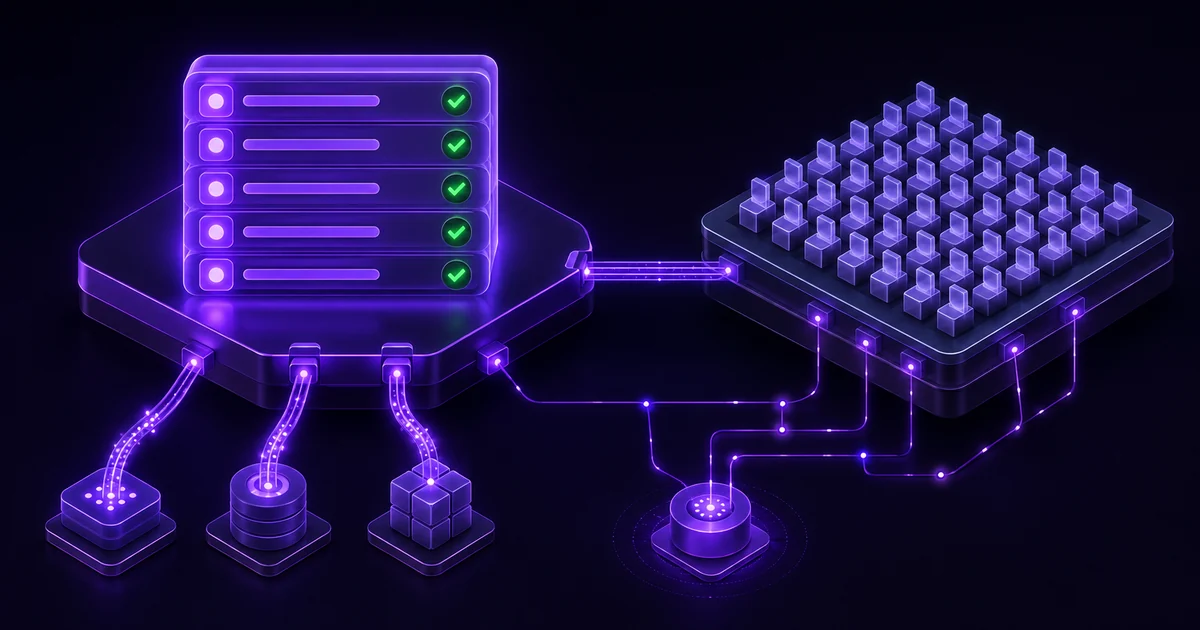
QAM Hub covers the same test management ground as TestRail and differs in three places that show up in the first month. It imports a TestRail project with its runs and results, not only its cases. It takes automated results through published reporters and JUnit XML instead of an API integration you write and maintain. And it gives one free read-only viewer seat for every paid seat, where TestRail licenses every login at full price. The practical split follows from that: TestRail manages test cases and expects your pipeline to feed it through the API, while QAM Hub treats the automated run and the manual run as the same record, with traces, video and flaky-test history attached. TestRail keeps the edge on enterprise governance, on-premise deployment and the size of its integration ecosystem, and this page says where.
The takeaway in 30 seconds#
- QAM Hub brings your TestRail history with it. The import wizard, on every plan, moves suites, cases, custom fields, milestones, and runs with their results (tester, date and comment on each), so the move does not start from an empty record.
- QAM Hub has three per-seat plans, read on qam-hub.com/pricing on 13 October 2026: Start at $15, Standard at $24 and Advanced at $42 per seat per month billed annually ($17, $27 and $45 billed monthly; EUR 13, 21 and 36 annually). Every paid seat includes one free viewer seat.
- TestRail sells three plans (testrail.com/pricing, read 13 October 2026). Essentials is $22 per user per month billed annually ($270 per user per year), cloud only and capped at five users. Professional is $39 billed annually ($468 per user per year), with monthly billing at $41 per user up to 20 users. Enterprise is $78 per user per month billed annually ($935 per user per year).
- On TestRail, test case versioning, review and approvals, SSO, MFA, audit logs, cross-project reporting and daily backups sit on Enterprise only. There is no viewer or read-only licence, so a product manager who opens a release dashboard once a fortnight costs the same as a full-time tester.
- AI and MCP are on every plan of both products. TestRail's AI runs on Sembi IQ, the shared platform behind TestRail, Xray and Testmo. On QAM Hub, AI features are included in every plan.
- The sharpest day-to-day difference is automation. QAM Hub takes Playwright and Cypress results through reporters published on npm and everything else as JUnit XML through the qam-hub CLI, then keeps stability and flakiness history per test. TestRail receives results through its REST API, and that integration is yours to build and keep working.
Facts verified on 13 October 2026. Pricing, plan contents and AI feature status were read from TestRail's own pricing page and support documentation on that date, and QAM Hub figures from qam-hub.com/pricing on the same day. Ratings come from G2 with review counts and dates shown. We re-verify these pages quarterly and the date above changes only when the facts do. QAM Hub is built by QA Madness, who publish this site; competitor details reflect current public information and we do not accept payment for placement.
QAM Hub vs TestRail at a glance#
| QAM Hub | TestRail | |
|---|---|---|
| Product type | Standalone test management system, integrates with Jira and six other trackers | Standalone test management system, deepest integration surface in the category |
| Plans and price (read 13 Oct 2026, per seat per month, billed annually) | Start $15 (up to 10 paid seats), Standard $24, Advanced $42. Monthly billing $17, $27, $45 | Essentials $22 (up to 5 users, cloud only), Professional $39, Enterprise $78. Professional monthly $41 per user up to 20 users |
| What the price is billed on | Paid seat, with one free viewer seat per paid seat | Named active user. Cloud billing follows your maximum active user count, so exceeding your purchased tier adjusts the bill |
| Cost of read-only stakeholders | One free viewer seat per paid seat (1:1) | Full seat. No viewer or stakeholder licence exists |
| Migration path in | TestRail import wizard on every plan: suites, sections, cases, custom fields, references as requirements, milestones, runs and results with tester, date and comment, images. Assisted migration on Advanced | CSV and XML import for cases. Runs and results are not supported by those importers |
| Automation ingest | Playwright and Cypress reporters published on npm, plus JUnit XML through the qam-hub CLI for WebdriverIO, Selenium, pytest, Jest, TestNG and other runners | REST API. Community bindings exist; the integration is built and maintained by you |
| Failure artifacts | Traces, video and screenshots stored against the result. Retention 14, 30 or 60 days by plan | Attachments supported. No framework artifact pipeline of its own |
| Flaky detection and stability trend | Test Explorer on Standard and Advanced: pass rate, stability score, flakiness rate and average duration over the last 5 to 100 runs or a date range, plus quarantine | No native flakiness analytics. Execution history from 7 to 180 days feeds AI test prioritization |
| AI capabilities | Every plan: test case and checklist generation from a description or a screenshot, bug analysis, in-app AI Assistant. Standard adds fix suggestions, automation run analysis and retrospectives. Advanced adds Quality and Coverage Analytics and AI Testing Agents (beta) | AI-generated test cases, BDD scenarios, test automation generation and test prioritization, listed on all three plans |
| How AI is sold | AI features are included in every plan | "All AI features included" on all three plans, running on Sembi IQ |
| MCP server | Every plan, self-serve with a personal token | MCP Server listed on all three plans |
| Checklists | First-class checklist suites for release sign-off and exploratory work, on every plan | Not a native object |
| Tracker integrations | Seven: Jira, GitHub Issues, GitLab, Linear, Asana, Redmine, Trello. Issue creation on every plan, two-way sync on Standard and Advanced | Jira above all, plus the largest third-party ecosystem of any TMS |
| Versioning and customisation | Version history (last 20 versions, rollback), case templates, up to 3 custom execution statuses and 20 custom fields from Standard. Start has 5 custom fields and no version history | Custom fields on all plans; custom case templates from Professional. Test case versioning and approvals are Enterprise only |
What TestRail costs, and what the number leaves out#
TestRail's pricing page is one of the clearer ones in this category, and reading it carefully is still the fastest way to be surprised later. As of 13 October 2026 it lists three plans. Essentials is $22 per user per month billed annually ($270 per user per year), cloud only and limited to five users. Professional is $39 per user per month billed annually ($468 per user per year). Enterprise is $78 per user per month billed annually ($935 per user per year), exactly double Professional. For monthly Professional billing, a TestRail support article sets $41 per user up to 20 users and flat brackets above that, effective from the 1 August 2026 invoice. On-premise deployment is available on Professional and Enterprise from ten seats with a twelve-month minimum. Our longer breakdown of every tier is in TestRail pricing explained.
Three things sit behind that headline.
The first is the tier boundary. Test case versioning, review and approvals, test parameterization, SSO, MFA, audit logs, cross-project reporting and daily backups are all Enterprise features, and Essentials also drops custom case templates, scheduled reports, project-level integrations and custom roles. Versioning is the one that catches teams out. A test case is a document that changes for years, and knowing who changed a step and being able to roll it back is not an enterprise luxury. Paying double for it is a real decision, not a footnote. On QAM Hub, version history with rollback starts on Standard.
The second is API and storage headroom. The pricing page lists the Cloud API limit at 100 requests per minute on Essentials, 180 on Professional and 300 on Enterprise, with 50 GB of storage on Essentials and Professional and 500 GB on Enterprise. A suite that attaches screenshots and logs to results moves through 50 GB faster than teams expect, and the fix is the top tier.
The third is the seat model. TestRail licenses per named active user and has no reduced-price viewer role. Read-only access is a permission you configure, not a cheaper licence you buy. TestRail's billing documentation is explicit that Cloud subscriptions follow your maximum active user count, and that exceeding your purchased tier adjusts the bill accordingly. Deactivating a user later in the month does not undo that month.
A worked example at a realistic team shape#
Take a team of eight testers, plus twelve people who need visibility and never author or execute a case: a product manager, a support lead, three developers who look at what failed, an engineering director, and a handful of stakeholders on a regulated release. On TestRail that is twenty licences, not eight.
| Scenario (annual billing, read 13 Oct 2026) | Seats billed | TestRail Professional | TestRail Enterprise | QAM Hub Standard | QAM Hub Advanced |
|---|---|---|---|---|---|
| 8 testers only | TestRail 8, QAM Hub 8 | $3,744 per year | $7,480 per year | $2,304 per year | $4,032 per year |
| 8 testers plus 12 read-only stakeholders | TestRail 20, QAM Hub 12 | $9,360 per year | $18,700 per year | $3,456 per year | $6,048 per year |
TestRail figures use the published annual rates of $468 (Professional) and $935 (Enterprise) per user per year, before any volume discount, which TestRail does offer at larger brackets. QAM Hub figures use the annual rates of $24 and $42 per seat per month ($288 and $504 per seat per year). On QAM Hub each paid seat carries one free viewer seat, so twelve stakeholders need twelve paid seats in the organization: eight used by testers and four that exist to hold viewer capacity. Read-only access is where the gap opens. On TestRail it more than doubles the bill; on QAM Hub it adds four seats.
What teams usually do instead is route around the licence. Someone exports results, tidies them in a spreadsheet and emails a summary before each release. That work is real, it is recurring, and it is invisible in the tool's cost. With a viewer seat the stakeholder reads the live report, and nobody assembles a PDF by hand.
One honest caveat, because this page is meant to survive scrutiny: QAM Hub is not the cheaper option at every shape. Our Advanced plan costs more per seat than TestRail Professional, $42 against $39 on annual billing. For a team of five or fewer with no read-only users, TestRail Essentials at $22 sits below QAM Hub Standard at $24 (five seats: $1,350 a year against $1,440) and above QAM Hub Start at $15 ($900 a year). Neither of the two cheaper plans has test case versioning: TestRail keeps it on Enterprise, and QAM Hub Start has no version history either. Start does take automation results and imports from TestRail, and leaves out two-way tracker sync and Test Explorer. The saving, where it exists, comes from not paying full price for people who only read and from not needing a second tool for automated results. Our full dated pricing comparison across nine tools is in TestRail alternatives.
Where TestRail wins#
Three areas, and none of them is a throwaway.
The review base and the operational track record. TestRail holds 4.4 out of 5 across 610 reviews on G2 as of 13 October 2026, and TestRail's own blog recorded 4.3 across 176 Capterra reviews in April 2026. No competitor in this category has that depth of feedback, and that matters when you are asking a procurement committee to approve a tool that will hold years of regulated evidence. QAM Hub opened self-service signup on 15 September 2026 and has no third-party review record yet. Saying otherwise would be dishonest.
Ecosystem and integration surface. TestRail has been in the market long enough that most CI systems, most automation frameworks and most reporting tools have a TestRail path already written. If you use something unusual, someone has probably connected it before you.
Enterprise governance. SSO through SAML, OAuth and OpenID Connect, audit logging, custom roles and user groups, IP allow lists, LDAP and Active Directory on Server, and a documented on-premise deployment option. For a bank or a medical device company, that list is the shortlist criterion and the rest of the comparison is secondary.
Where QAM Hub wins#
Your TestRail history comes with you#
QAM Hub has an import wizard for TestRail, available to organization admins on every plan. You connect it with the TestRail URL, an account email and an API key, and the key is deleted when the import finishes. It brings suites and sections, test cases with their steps (shared steps are inlined), priority, type and estimate, custom fields through an editable mapping, references as linked requirements, labels as tags, milestones, and test runs with their results: the latest 50 or 200 runs per project, or all of them, each result with its tester, date and comment. Images attached to cases and results come across too, up to five per case and five per result. A preview shows the counts of what will be created before anything is written, and a project that fails is removed completely rather than left half-imported.
That changes the migration arithmetic. TestRail's own file exports do not carry runs or results, so the other route out goes through its API with pagination at 250 records per request. The wizard does that work for you. Two limits are worth knowing: the TestRail instance has to be reachable from the internet, and non-image attachments stay behind. The details are in the migration section below.
Automated results land in the same place as manual ones#
This is the difference that changes a working day. QAM Hub publishes reporters on npm for Playwright (@qamadness/qam-playwright-reporter) and Cypress (@qamadness/qam-cypress-reporter), and the qam-hub CLI uploads JUnit XML from CI, so WebdriverIO, Selenium, Robot Framework, pytest, Jest, TestNG and most other runners can push results too. Install the package, point it at your project with QAM_API_URL, QAM_PROJECT_ID and QAM_API_TOKEN, and results arrive after each run with traces, video and screenshots attached to the result record. An automated test is linked back to its manual case through a TC-<number> in the test title, and one automated test can cover several manual cases. This works on every plan, Start included.
TestRail's route is the REST API. It works, it is documented, and teams run it at scale. It is also code you own: authentication, batching, retry on rate limits, and pagination. Bulk GET endpoints return a maximum of 250 records per response, and a script that reads the first page and stops will quietly report on the first 250 cases of a 4,000-case project. That failure is silent, which is the worst kind.
The second-order effect is where the cost actually sits. When automated results live in the CI tool and manual results live in the TMS, someone reconciles them before every release. That is the two-tool tax, and it is paid in the hours before a go/no-go call, by the person who can least afford the time.
Flakiness is a first-class record, not an anecdote#
QAM Hub's Test Explorer, on Standard and Advanced, tracks pass rate, stability score, flakiness rate and average duration over the last 5 to 100 runs or a date range you pick. It identifies regressions where a test passed last run and fails now, surfaces chronic failures, and lets a Project Admin or Org Admin quarantine an unreliable test so it keeps running and recording without holding a build hostage. Detecting flakiness needs execution history across many runs, which is precisely what a single CI report cannot give you.
TestRail does not ship native flakiness analytics. Its AI test prioritization does read execution history over windows from 7 to 180 days to rank tests by risk, which is a related idea aimed at a different question: what to run first, rather than which test is lying to you.
Checklists exist as an object#
Column-based checklist suites cover release sign-off and exploratory sessions, where writing formal step-by-step cases costs more than it returns. They are on every plan. Most of this category has no checklist object, so teams fake them with test cases, which then inflate the coverage numbers with things that were never really test cases.
Seven tracker integrations, not only Jira#
Jira, GitHub Issues, GitLab, Linear, Asana, Redmine and Trello. On every plan a failed result can create an issue in the connected tracker, and the issue stays linked to the case and the run. On Standard and Advanced the integration is two-way: requirements come in from your tracker, and each linked issue gets a QAM Hub comment listing the test cases that cover it, their latest results and the bugs found. Teams that are not on Jira are usually second-class citizens in this category. If your engineering org runs Linear and your support team runs Trello, that is a real constraint and worth checking on any shortlist.
Versioning without the top tier#
From Standard, QAM Hub keeps the last 20 versions of a case with rollback, adds case templates, up to three custom execution statuses and 20 custom fields per project. On TestRail, versioning and approvals are Enterprise features at $78 per user per month (read 13 October 2026). That is the specific line where the two products diverge on principle rather than on price. Start, our entry plan, has no version history, so a team that needs it should compare Standard with TestRail Enterprise rather than Start with Essentials.
AI and MCP in both products, as of October 2026#
Both vendors shipped real AI in the last eighteen months, and the useful question is no longer whether a tool has it but what it touches and who decides what happens with its output.
TestRail's pricing page lists AI-generated test cases, AI-generated BDD scenarios, AI test automation generation and AI test prioritization on all three plans, Essentials included, with "All AI features included" on each plan card (read 13 October 2026). AI test prioritization was announced with TestRail 10.5 and Xray 15.0 on 25 June 2026 and scores tests on execution history, linked defects and semantic signals such as compliance or security labels, with a stated explanation for each ranking.
One fact that a shortlist rarely surfaces. TestRail, Xray and Testmo are all Sembi brands, the portfolio Idera launched on 23 January 2025 alongside Ranorex, Kiuwan and PreEmptive, and their AI runs on a shared platform called Sembi IQ. A team moving from TestRail to Xray or Testmo to diversify is changing product, not vendor. That is not a criticism of any of the three, and there are good reasons to consolidate on one portfolio. It is information a buyer should have before they think they have three quotes from three companies.
On QAM Hub, AI features are included in every plan. Every plan generates test cases and checklists from a description or a screenshot, analyses bugs, and has an in-app AI Assistant. Standard adds AI fix suggestions for failing tests, automation run analysis and retrospectives. Advanced adds Quality and Coverage Analytics, which finds duplicate cases and unclear steps across the whole base, gives an A to D score and quotes the evidence for each finding, and AI Testing Agents (beta), which the product calls Agent Flows: agents that run test flows against your application through a runner you start with npx @qamadness/tms-runner start, in Chromium, Firefox or WebKit. The design principle, which comes from QA Madness running QA services for a living, is that the AI proposes and a QA engineer decides. A longer treatment of what these features do across the category is in AI test management tools.
MCP is parity, not a differentiator. TestRail lists an MCP Server on all three plans, and QAM Hub has one on every plan, self-serve: you generate a token under Profile, API & MCP and pick a client such as Claude Code, Claude Desktop, Cursor or VS Code. The agent acts as the token owner, a Viewer stays read-only through MCP as well, and changes are audit-logged. Our walkthrough is in connecting Claude to your TMS via MCP.
Some context on why every vendor is shipping this at once. Sembi's 2026 Software Quality Pulse Report, a survey of 3,800 QA engineers, security professionals, developers and engineering leaders, estimates that 53 percent of organisational code is now AI-generated or AI-assisted, and that 61 percent of teams report moderate to dramatic increases in QA testing demand because of it. The same report found only 17 percent of engineering teams feel their testing has improved. The volume of code went up; confidence did not follow.
Migrating from TestRail to QAM Hub#
Plan for setup time per batch of projects, plus the time to check the result. The history comes with you; the work is in the checking.
An organization admin starts the TestRail import wizard, which is on every plan. You need your TestRail URL, an account email and an API key; the key is used for that import only and deleted when it finishes. Pick the projects, adjust the custom field mapping in the preview (up to 20 custom fields per project), choose how many runs to bring (the latest 50 or 200 per project, or all of them), and invite your TestRail users as Members or Viewers so imported results point at their accounts. The preview shows counts before anything is written. The step-by-step guide is in the KB article on importing from TestRail, and what the wizard covers is summarised on the TestRail migration feature page. On Advanced the import can be done together with QA Madness.
What stays behind is small and specific: non-image attachments, and images past five per case or per result. A self-hosted TestRail server that is not reachable from the internet cannot be reached by the wizard either. For that case the route is CSV for cases (see importing and exporting test cases via CSV), with history pulled through TestRail's API (get_runs, then get_results_for_run for each run, paginated 250 records at a time) and archived, or restarted at a release boundary.
Automated results from CI do not migrate in any tool. You point the reporter at the new project and automation history restarts, which is why switching at a release boundary is worth the wait.
For the export mechanics on the TestRail side, see what you actually lose when you export test cases from TestRail, and for the field-mapping and clean-up stages of any move, how to migrate test cases into a test management system.
When you should not switch at all#
Staying is the right call more often than a comparison page usually admits.
- You are on Enterprise and using it. Audit logs, SSO, IP allow lists, custom roles and on-premise deployment are a coherent package, and reassembling that elsewhere is a project rather than a purchase.
- Your integration work is done and stable. If the API glue has been running for two years and nobody thinks about it, the reconciliation cost this page describes is a cost you have already paid.
- Your suite is small and static. Under a few hundred cases with one or two testers, most of the differences here never surface. Sometimes the honest recommendation is to keep the spreadsheet a while longer, which we argue in test management vs spreadsheets.
- You are mid-audit or mid-certification. Moving the system of record during an audit window creates evidence gaps that are expensive to explain. Wait for the boundary.
If you are switching, switch for a reason you can name: read-only seat cost, the automation reconciliation, versioning locked behind a tier, or flakiness you cannot see. Switching because the interface feels dated tends to end with a new tool that feels dated in three years.
Ratings and how to read them#
TestRail holds 4.4 out of 5 from 610 reviews on G2 as of 13 October 2026, and 4.3 out of 5 from 176 reviews on Capterra as recorded by TestRail on its blog in April 2026. Recurring criticism in those reviews clusters on price scaling, the absence of a viewer-only licence, and performance on large data sets.
QAM Hub has no third-party rating to quote. Self-service opened on 15 September 2026, and the product was built inside QA Madness, a QA outsourcing company, where it was used on client projects before it was sold to anyone. That is a different kind of evidence from 610 public reviews and we would rather state it plainly than dress it up.
The honest limitations on our side. QAM Hub has no free plan: the 30-day trial needs no card and starts on Advanced with every feature on, and after it the workspace waits for a paid plan without deleting anything. The product is newer, so its community is smaller than around a tool that has existed for over a decade. Agent Flows are in beta and need a runner process on your side. And QAM Hub integrates with Jira without being Jira-native, so teams that want test cases to live as Jira issues will be happier with Xray or Zephyr Standard (formerly Zephyr Scale). The Jira question is worked through in test management tools for Jira.
Frequently asked questions#
Can you migrate from TestRail to QAM Hub without losing test results?#
Mostly, yes. QAM Hub's TestRail import wizard, on every plan, brings test runs and their results across with the tester, date and comment on each result, together with suites, cases, custom fields, milestones, references as requirements and images (up to five per case and per result). You choose the latest 50 or 200 runs per project, or all of them. Non-image attachments are not imported, and the TestRail instance has to be reachable from the internet. Automated results from CI start fresh in any tool.
Is QAM Hub cheaper than TestRail?#
It depends on how many people only read. On annual billing QAM Hub Standard is $24 per seat per month against $39 for TestRail Professional, and every QAM Hub paid seat includes one free viewer seat, while TestRail charges full price for every login (both read on 13 October 2026). Eight testers and twelve stakeholders pay $3,456 a year on QAM Hub Standard against $9,360 on TestRail Professional. At five users or fewer with no stakeholders, TestRail Essentials at $22 is below QAM Hub Standard and above QAM Hub Start at $15, and neither Essentials nor Start includes case versioning. QAM Hub Advanced at $42 costs more per seat than TestRail Professional.
Does TestRail run automated tests?#
No, and neither does QAM Hub. Both are test management systems, not execution engines. Your framework runs the tests. The difference is what happens next: QAM Hub receives results through published Playwright and Cypress reporters or JUnit XML uploaded through the qam-hub CLI, while TestRail receives them through its REST API using an integration your team writes and maintains.
What does TestRail charge for read-only users?#
Full price. TestRail licenses per named active user and offers no viewer or stakeholder tier, so a director who only opens a dashboard costs the same as a tester who lives in the tool. Read-only access is a permission setting rather than a cheaper licence, and Cloud billing follows your maximum active user count for the period.
Does TestRail have AI test case generation in 2026?#
Yes. TestRail's pricing page lists AI-generated test cases, BDD scenarios, test automation generation and test prioritization on all three plans, including Essentials (read 13 October 2026). The AI runs on Sembi IQ, the shared platform behind TestRail, Xray and Testmo, and the vendor lists all AI features as included on each plan.
Should you stay on TestRail?#
Stay if you are on Enterprise and using its governance features, if your API integration is built and stable, or if you are inside an audit window. Look elsewhere if you are paying full seats for people who only read reports, if someone reconciles automated and manual results by hand before every release, or if you need case versioning and do not want to pay Enterprise rates for it.
What is the difference between QAM Hub and TestRail for a small QA team?#
For a team under ten people, the differences that show up in the first month are automation ingest and, if you need it, versioning. Every QAM Hub plan takes Playwright, Cypress and JUnit XML results and includes checklists for release sign-off; version history starts on Standard. TestRail gives you a more mature reporting set and an ecosystem that has already solved most integration problems, with versioning on Enterprise. Teams of five or fewer with no automation and no read-only stakeholders should also price TestRail Essentials and QAM Hub Start side by side.
References#
- TestRail plans and pricing page, read 13 October 2026. Essentials, Professional and Enterprise rates, plan feature comparison, AI features and MCP Server on all plans, API rate limits, storage, on-premise terms.
- TestRail Support Center, monthly billing for Professional, effective from the 1 August 2026 invoice. $41 per user up to 20 users, flat brackets above.
- TestRail Support Center, Introduction to the TestRail API. Bulk GET endpoints return a maximum of 250 records per request.
- TestRail Support Center, Results and Runs API reference. get_results_for_run and get_runs pagination behaviour.
- TestRail Support Center, Billing and Admin FAQ. Cloud billing follows maximum active user count for the period.
- TestRail Support Center, Managing user permissions and roles. Read-only access is configured through roles and project access.
- Sembi launch announcement, 23 January 2025. Portfolio brands including TestRail, Xray, Testmo, Ranorex, Kiuwan and PreEmptive.
- Sembi press release, 25 June 2026. AI Test Prioritization in TestRail 10.5 and Xray 15.0, powered by Sembi IQ.
- Sembi 2026 Software Quality Pulse Report, survey of 3,800 QA and engineering professionals. Figures on AI-generated code and QA demand.
- G2 product listing for TestRail, read 13 October 2026. Rating 4.4 out of 5 across 610 reviews.
- TestRail blog, April 2026. Rating 4.3 out of 5 across 176 Capterra reviews.
- QAM Hub pricing page, read 13 October 2026. Start, Standard and Advanced rates in USD and EUR, plan contents, one free viewer seat per paid seat.
Continue with the rest of the set on the comparison hub, or read the wider field in best test management tools in 2026 and the head-to-head in TestRail vs Qase.