

Managing Automated Test Results in a TMS (CI/CD)
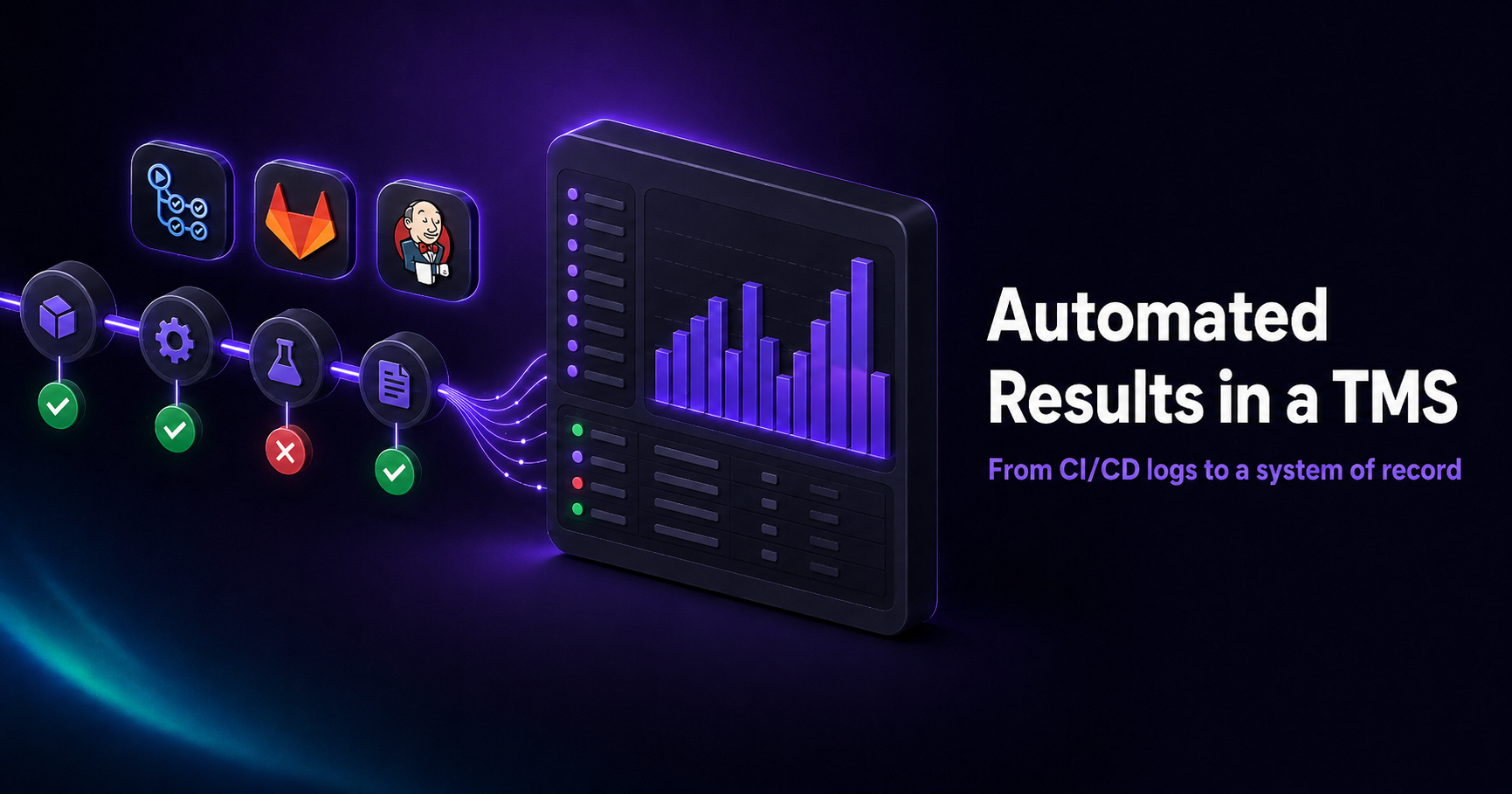
Managing automated test results in a TMS means sending the output of your CI/CD test runs into a test management system, where they become a durable, searchable record — linked to manual test cases and tracked as trends — instead of scrolling past in a build log that's gone by the next commit. A test runner tells you if the last build was green; a TMS tells you whether your suite is actually healthy over time.
This guide explains why CI logs aren't enough, what a TMS adds to automated results, and how to wire the flow into your pipeline — with a CI example you can adapt.
Why CI logs aren't a system of record
When automated tests run in CI/CD, the results land in the pipeline's console output and maybe an artifact. That's fine for "did this build pass?" but it falls apart for everything beyond a single run:
- Results are ephemeral. Each build overwrites the last. Answering "when did this test start failing?" or "is this one flaky?" means digging through old logs by hand, if they're even retained.
- No link to your test cases. A CI log doesn't know which manual test case an automated test corresponds to, or which requirement it verifies. Automated and manual coverage stay in separate worlds.
- No trends. Pass rate, flakiness, and stability over time aren't visible — each run is an isolated snapshot.
- No shared visibility. A QA lead or manager shouldn't have to read pipeline logs to know whether the suite is trustworthy.
A test management system sits at the end of the pipeline and turns each run into durable data. For the broader concept, see what a test management system is.
What a TMS adds to automated results
Once your runs flow into QAM Hub, the results stop being throwaway logs and become a queryable history:
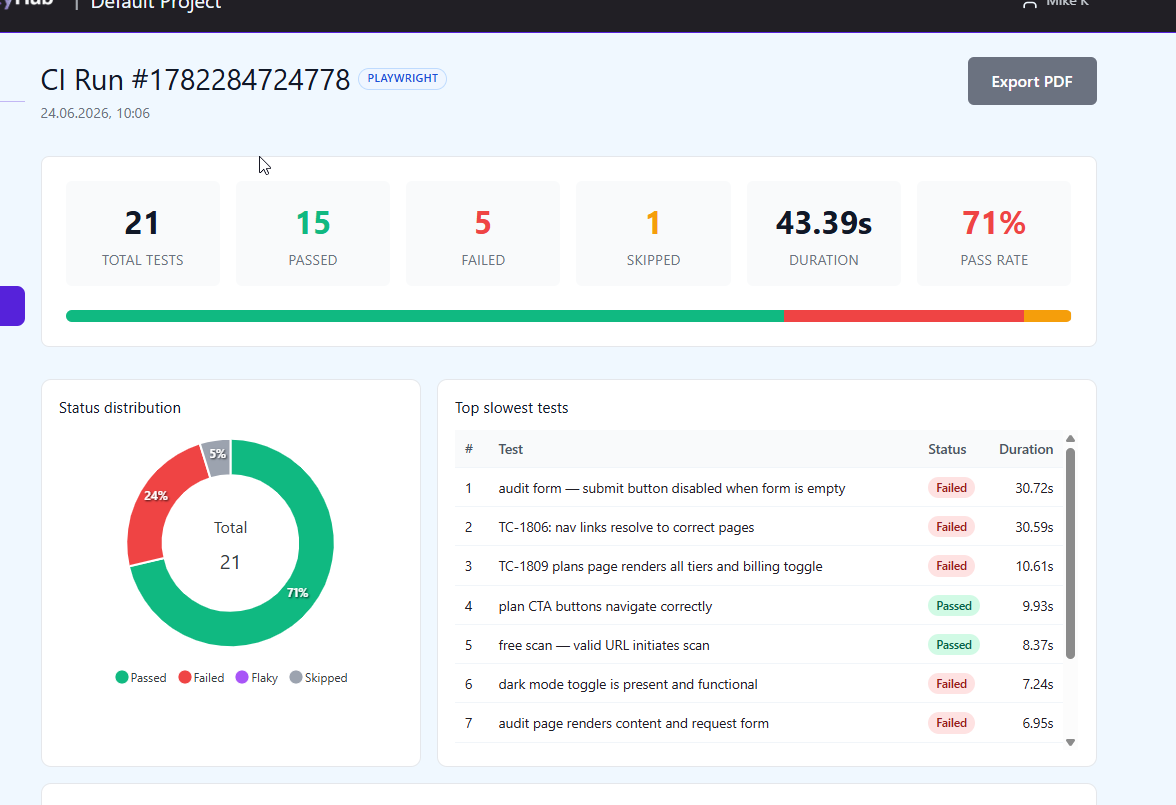
- Persistent run history — every run is stored with pass / fail / skipped / flaky counts and per-test detail, including error messages, stack traces, retries, and failure screenshots.
- Trends and health — pass rate, flakiness rate, stability score, and average duration across a 7–90 day window, so you can see whether the suite is improving or degrading.
- Cross-run intelligence — automatic detection of regressions (passed last run, failing now), chronic failures, top failing tests, and per-run flakiness.
- Traceability to manual cases — automated results link back to manual test cases, so coverage is one picture across manual and automated testing.
- CI context (optional) — each run can carry branch, commit, environment, and build URL, if your pipeline passes them along with the results.
How the flow works
The pattern is the same regardless of framework: your tests run in CI as they already do, and at the end of the run the results are submitted to QAM Hub. There are two ways to submit:
- An official reporter that pushes results automatically when the run finishes — the recommended option for CI. QAM Hub provides reporters for Playwright and Cypress.
- A report upload — submit the run's JSON report, either via a CLI step in the pipeline or by drag-and-drop in the UI for one-off runs.
The framework is detected automatically on ingest, so there's no separate configuration for Playwright versus Cypress — a mixed estate reports into one place.
Wiring it into CI/CD
In practice, you configure the reporter once, expose three values to your pipeline as secrets, and the results flow on every run. The three values are:
QAM_API_URL— the QAM Hub API base URL.QAM_PROJECT_ID— your project UUID, from the Automation Runs page.QAM_API_TOKEN— an API token generated under Profile → API Tokens, stored as a CI secret.
Here's a minimal GitHub Actions example for a Playwright suite. The reporter (configured in playwright.config.ts) pushes results when the run completes, so no extra submit step is needed:
name: e2e
on: [push]

jobs:
  test:
    runs-on: ubuntu-latest
    steps:
      - uses: actions/checkout@v4
      - uses: actions/setup-node@v4
        with:
          node-version: 20
      - run: npm ci
      - run: npx playwright test
        env:
          QAM_API_URL: ${{ secrets.QAM_API_URL }}
          QAM_PROJECT_ID: ${{ secrets.QAM_PROJECT_ID }}
          QAM_API_TOKEN: ${{ secrets.QAM_API_TOKEN }}
The same pattern applies to any CI system — GitLab CI, Jenkins, CircleCI, and others — since it's just environment variables plus your normal test command. Setup details per framework are in the Knowledge Base: uploading Playwright reports and uploading Cypress reports.
Linking automated runs to manual test cases
The bridge between automation and your test repository is a naming convention: prefix a test title with TC-<number> matching the manual case in QAM Hub.
test('TC-42: user can log in', async ({ page }) => {
  // ...
});
QAM Hub links that run result to the manual case, so from the case you can trace straight to its automated execution history — and a single automated test can cover several manual cases. This is what keeps your coverage picture honest as you automate.
Seeing coverage and health, not just green/red
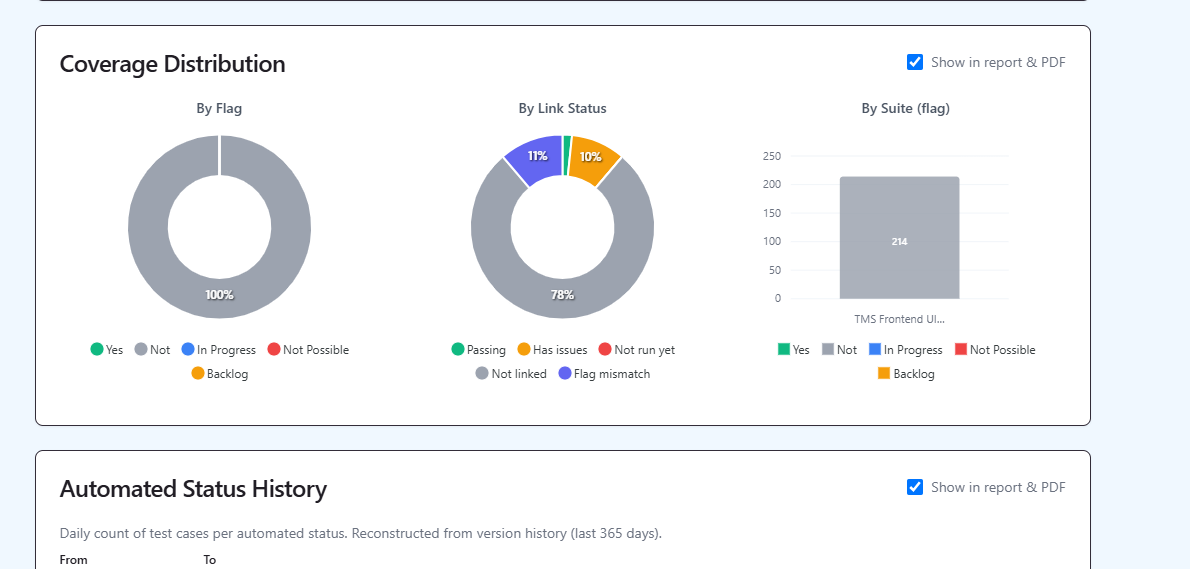
The payoff of routing CI results through a TMS is that you can finally answer the questions a build status can't: what share of your suite is automated, which tests are chronically failing or flaky, and whether stability is trending up or down. QAM Hub's automation and coverage reporting turns the stream of CI runs into those answers — see automation coverage reporting for how to read it.
Frequently asked questions
Why send automated results to a TMS instead of just reading CI logs?
CI logs are ephemeral and isolated — each build overwrites the last, and they don't link to your manual test cases or show trends. A TMS keeps a durable history, surfaces flakiness and regressions over time, and ties automated results to the manual cases and requirements they cover.
Does this work with any CI system?
Yes. Submission is driven by environment variables (API URL, project ID, token) plus your normal test command, so it works in GitHub Actions, GitLab CI, Jenkins, CircleCI, and others. The reporter pushes results when the run finishes.
Do I have to choose between Playwright and Cypress?
No. QAM Hub detects the framework automatically on ingest, so Playwright and Cypress results — even from a mixed estate — report into the same place with the same history and coverage views.
How does the TMS know which manual case an automated test covers?
Through a TC-<number> prefix in the test title that matches the manual case number in QAM Hub. One automated test can map to several manual cases.
Where do branch and commit details come from?
From your pipeline. CI metadata is optional — QAM Hub stores and displays branch, commit, environment, and build URL when your CI passes them with the report. A manual upload through the UI won't include them.
Summary
Automated test results that live only in CI logs answer one question — "did this build pass?" — and forget everything else. Routing them into a test management system makes them durable: persistent history, flakiness and regression detection, trends, and traceability to the manual cases they cover. Wiring it in is a one-time reporter setup plus three CI secrets, and it works across frameworks and CI systems alike.
QAM Hub is a test management system built by QA Madness, a software testing and QA automation company. It ingests Playwright and Cypress results from any CI/CD pipeline, links them to manual cases, and reports coverage and trends in one workspace — built by QA engineers who automate testing every day.