

How to Find Duplicate and Low-Quality Test Cases
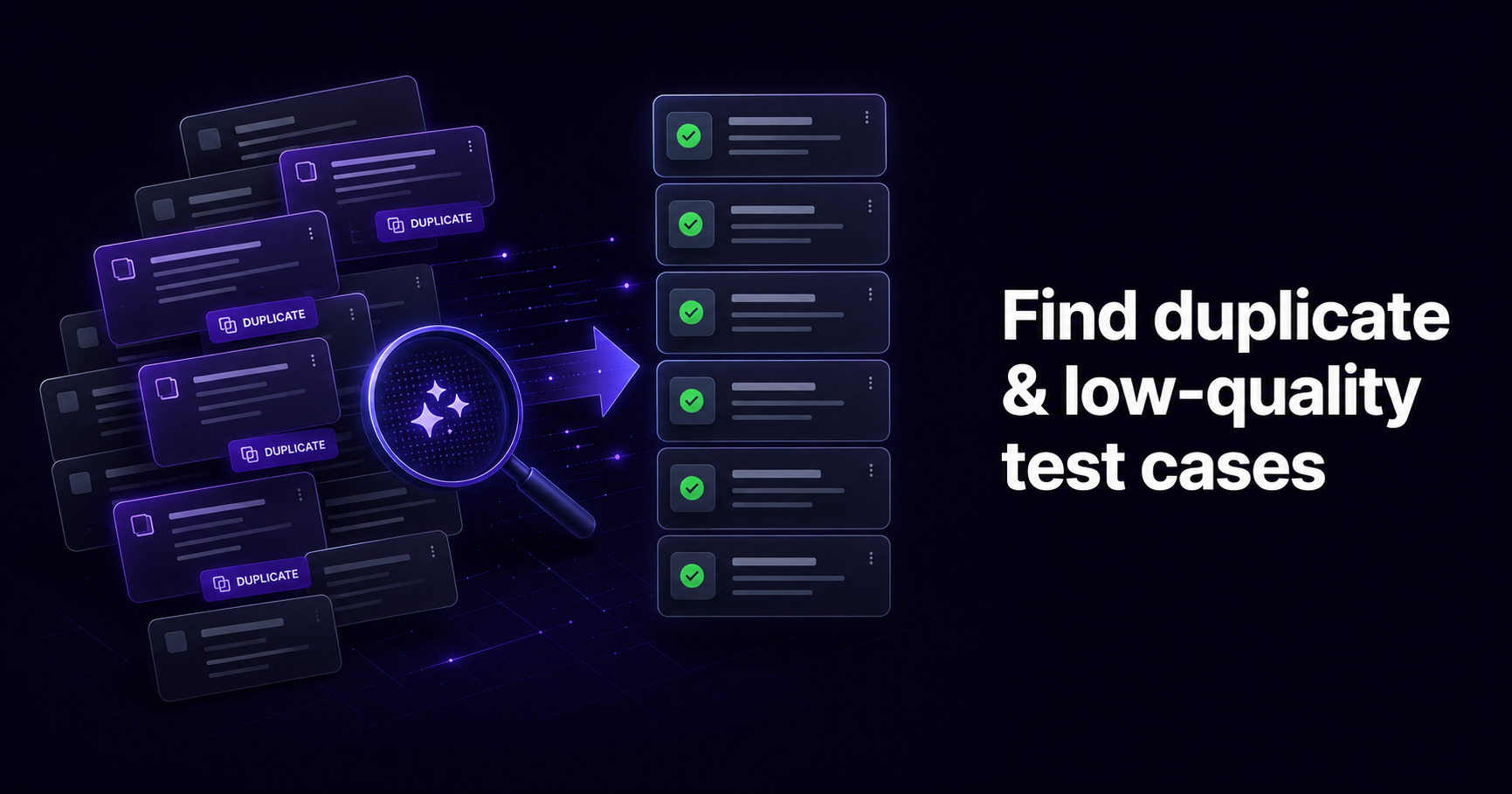
To find duplicate and low-quality test cases, you review the suite for two problems at once: tests that check the same behavior as another test (exact copies and near-duplicates written in different words), and tests that are too vague, incomplete, or bloated to trust. On a small suite you can spot these by reading titles, steps, and expected results side by side. On a large one you need filters, tags, and semantic analysis, because near-duplicates rarely share the same wording and manual review stops scaling past a few hundred cases. The fix is a repeatable cleanup: inventory the suite, group similar cases, merge or archive the redundant ones, rewrite the weak ones, and put a review rule in place so the mess does not come back.
This guide covers why duplicate and low-quality cases pile up, what they cost, how to recognize both kinds, and a cleanup workflow you can run without breaking coverage.
Why duplicate and low-quality test cases pile up
No team sets out to write redundant tests. The suite degrades quietly, through normal work. A few patterns cause most of it.
Shared ownership. When everyone owns the suite, nobody does. One tester writes "Verify login flow." A month later someone else, testing a nearby feature, writes "User sign-in check." Both exercise the same path. Neither author saw the other's case because they were working in different suites or on different sprints.
Imports and migrations. Moving cases from a spreadsheet or an old tool brings in whatever was already there, including the duplicates and dead scenarios that accumulated in the previous system. A migration is the moment a suite doubles in size and quality drops.
New tests without retirement. Teams reflexively add a test when a bug is found or a feature ships, but almost never delete one. Bug0's analysis of the regression ROI problem describes the predictable arc: a suite grows from 500 tests to 3,000 over 18 months, maintenance cost triples, and the number of real bugs caught stays flat. The count goes up; the value does not.
AI-assisted development. Teams now ship code faster with AI coding tools, and that changes the volume. The same Bug0 analysis notes that AI-generated pull requests carry more issues than human-written ones, which pushes teams to generate more tests to keep up. AI test generation is useful, but generating cases quickly without a review step is a fast way to seed near-duplicates and shallow checks.
Left alone, these forces produce a familiar end state: a suite too big to read, too slow to run in full, and trusted by no one.
What a bloated, low-quality suite costs
The cost is not abstract. It shows up in four places.
Slower regression. Every redundant case is execution time and, for manual tests, tester time you spend on coverage you already had. Suite bloat is defined by test count growing faster than meaningful coverage. One working red flag: test count rising more than 20% per quarter with no matching rise in coverage or defects found.
Higher maintenance. Software maintenance already dominates the total cost of a system, and regression testing is a large slice of it. Redundant and outdated cases add pure overhead: when the product changes, you update five copies of the same check instead of one, or you skip the update and let the copies drift out of sync.
False confidence in coverage. A coverage number built on duplicated cases looks healthy and tells you nothing. If half the suite re-checks the same paths, the metric hides the gaps instead of exposing them. Stakeholders read the dashboard as product health; the dashboard is measuring redundancy.
Distrust. Vague and flaky cases produce failures that turn out to be nothing. After enough false alarms, a red result stops meaning "investigate" and starts meaning "re-run it." Once the team distrusts the suite, the suite has failed at its one job.
The macro numbers give the backdrop. The Consortium for Information and Software Quality put the cost of poor software quality in the United States at roughly $2.41 trillion in 2022. NIST's long-standing research on testing infrastructure found that defects caught late cost far more to fix than defects caught early, on the order of 10 to 100 times. A suite you cannot trust is a suite that lets those late defects through.
Duplicate is harder to define than it looks
There are two kinds of duplicate, and only one is easy to catch.
| Type | What it is | How hard to find |
|---|---|---|
| Exact duplicate | Same title, steps, and expected result, often from a copy-paste or a double import | Easy. A text match or a sort-by-title catches most. |
| Near-duplicate (semantic) | Two cases that verify the same behavior in different words: "Verify login flow" vs "User sign-in check" | Hard. No shared wording, so text search misses them. You have to compare intent. |
| Partial overlap | One case fully contains another, or two cases share most steps and differ in one edge condition | Hard. Merging them can lose the edge case if you are not careful. |
Exact duplicates are annoying but cheap to remove. Near-duplicates are the real problem, because the whole point is that they do not look alike on the surface. Two engineers naming the same behavior differently is not an edge case; it is the normal outcome of a growing team. This is why a plain keyword search under-reports duplication: it can only see the copies people wrote in identical words, which are the minority.
What "low quality" means in a test case
Redundancy is one axis. The other is whether an individual case is any good. Academic work on test-case quality has landed on a set of attributes practitioners care about, including fault detection, understandability, maintainability, reliability, and coverage. You do not need the full model to audit a suite. A short list of red flags catches most weak cases, and each has a clear fix.
| Red flag | Example | Fix |
|---|---|---|
| Vague description | "Check if the button works" | State the action and the observable result: "Click Submit on a valid form; page redirects to the dashboard and shows a success message." |
| Missing expected result | Steps listed, but no defined outcome, so the tester guesses whether the behavior is a bug or a feature | Every case gets an explicit expected result for its final step. |
| Does too much at once | A single case that verifies login, profile edit, and logout (an "eager" test) | Split into focused cases. One case, one behavior. |
| Depends on another case | Case B only passes if case A ran first and left specific data behind | Make it independent: set up its own preconditions so it runs in any order. |
| Not reproducible | Relies on undocumented data or a specific environment state | Document the preconditions and test data; use a shared demo dataset, not one tester's local setup. |
| No traceability | Case is not linked to any requirement, so nobody knows why it exists or whether it can be retired | Link cases to requirements. Anything that maps to nothing is a retirement candidate. |
A useful shorthand from practitioner research: a good case is one any tester on the team can pick up and run correctly without asking the author what it means. If a case needs a conversation to execute, it is a low-quality case regardless of how thorough it looks.
How to find duplicate and low-quality test cases
Three approaches, in rough order of how well they scale.
Manual review
List every case with its title and description in one view, then read for overlaps in objective, steps, and expected result. Tag anything suspect (a "review" or "duplicate" tag) so you can filter the flagged set later and decide in a batch. This works, and for a suite of a few dozen cases owned by one person it is the right amount of process. It falls apart on volume: reading is linear, and comparing every case against every other case is not something a person does reliably past a few hundred cases. It also only catches what one reviewer happens to remember seeing.
Filters, tags, and search in a test management system
A test management system turns the manual approach into something faster. Sort by title to surface exact duplicates. Filter by tag, suite, or custom field to review one area at a time. Search by keyword to gather everything touching, say, "checkout" and read that cluster together. This is a real improvement over a spreadsheet, and it catches exact and obvious duplicates well. Its limit is the same as keyword search generally: it finds shared words, not shared meaning, so the near-duplicates written in different language still slip through.
Semantic analysis
The modern approach compares what a case does, not the words it uses. Instead of matching text, it reads titles, descriptions, steps, and expected results and groups cases by intent, so "Verify login flow" and "User sign-in check" land in the same cluster despite sharing no keywords. Several test management tools now ship this: BrowserStack's deduplication agent, for example, describes a semantic pass that runs after import and flags overlapping cases for a human to compare, merge, or dismiss; Testomat markets a comparable AI duplicate-detection feature with merge suggestions. The common design across these tools is worth noting, because it tells you what to expect from the category: the tool proposes, a person decides. Semantic detection is good at surfacing candidates and bad at knowing which edge case you cannot afford to lose, so the merge step stays human.
A cleanup workflow that does not break coverage
Finding the cases is half the job. Removing them without dropping real coverage is the other half. A repeatable pass, run on a schedule, keeps a suite healthy.
1. Inventory. Get the whole suite into one view: titles, descriptions, tags, requirement links, and last-run status. You are looking for shape before you touch anything.
2. Detect duplicates. Run whatever detection you have, from a title sort to a semantic pass, and collect the candidate pairs and clusters. Do not delete yet.
3. Assess quality. For each candidate and each stale case, check it against the red-flag table above. Some "duplicates" are one good case and one weak case covering the same behavior, which makes the decision easy: keep the strong one.
4. Merge, rewrite, or archive. For duplicates, keep the clearest case and fold in any unique step or edge condition from the others before removing them, so no coverage is lost in the merge. For weak but unique cases, rewrite them against the fixes above. For cases that map to no live requirement, archive rather than hard-delete where you can, so the decision is reversible.
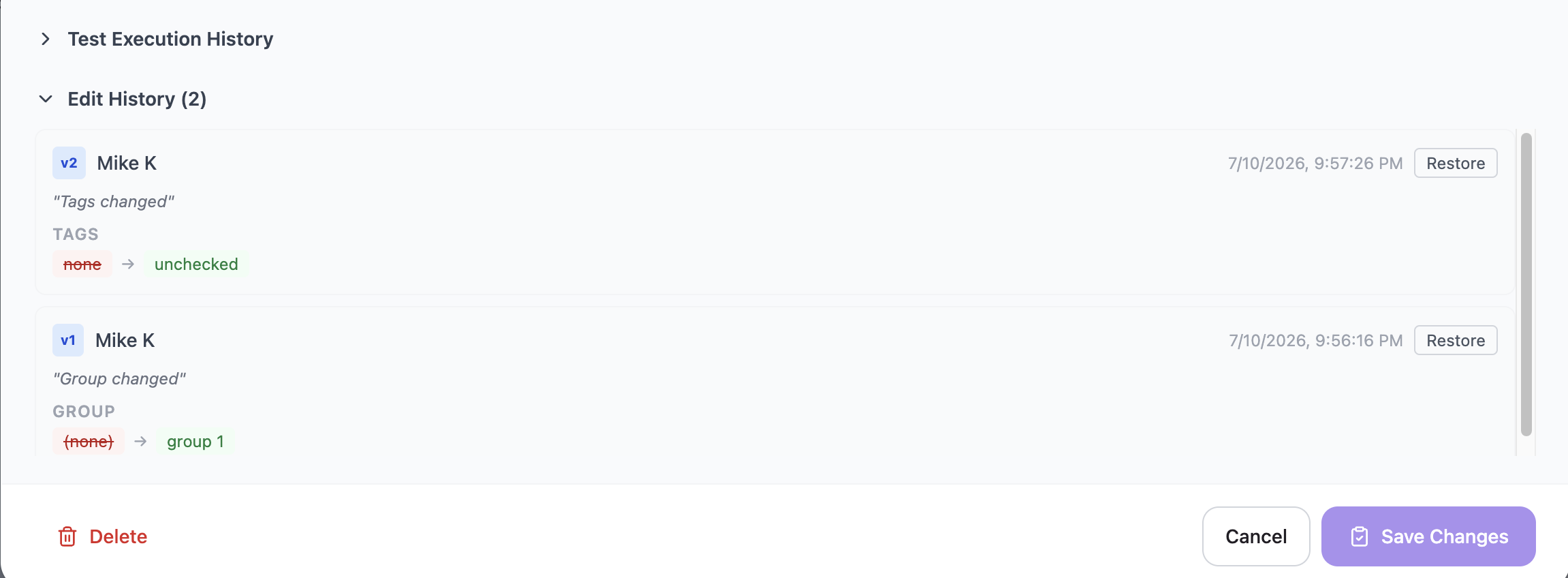
5. Protect the change. Before a cleanup, know your undo path. A suite with version history and rollback lets you merge and prune aggressively, because a wrong call is one restore away, not a rewrite from memory. Working without that safety net is the reason many teams never clean up: the risk of deleting something load-bearing feels worse than the bloat.
6. Prevent recurrence. The cleanup is wasted if the causes stay. Three practices hold the line: a short definition of done for a test case (clear description, explicit expected result, one behavior, linked to a requirement); a review step before new cases, including AI-generated ones, enter the suite; and a retirement rule, so obsolete cases leave when the feature they covered does. Treat suite hygiene as a scheduled session, not a one-time rescue.
Where a test management system fits
Most of this workflow is easier inside a test management system than in a spreadsheet, because the detection, the tags, the requirement links, and the undo path all live in one place. QAM Hub, the test management system built by QA Madness, includes a Quality Analyzer that detects duplicate and vague test cases and suggests fixes, which covers both axes this guide is about: redundancy and individual quality. The AI is built in, not metered per action, and it follows a human-in-the-loop model that matches the merge advice above: the analyzer proposes candidates, and a QA engineer makes the call.
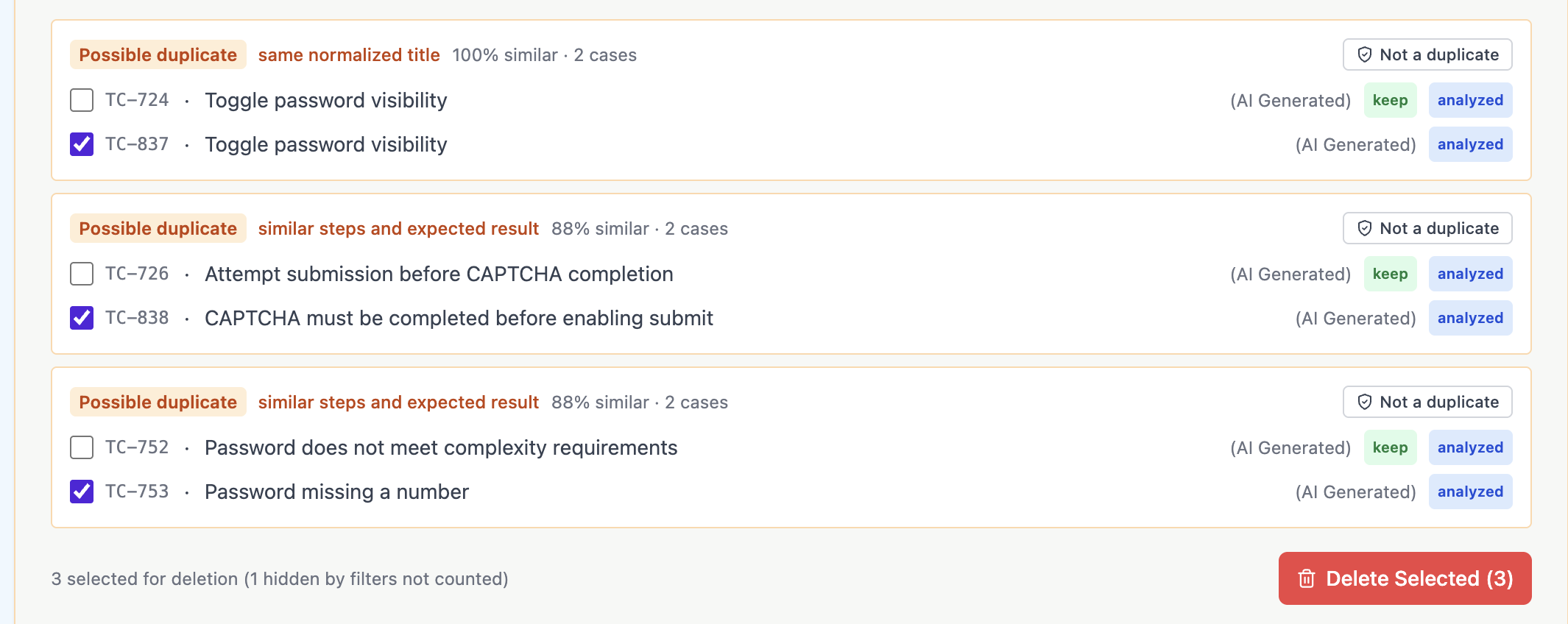
The surrounding features are what make the cleanup safe to run. Version history keeps the last 20 revisions of a case with one-click rollback, so merging and pruning stays reversible.
Tags and custom fields let you flag and batch-review by area. Requirements and traceability show which cases map to nothing and are safe to retire. CSV import and export means you can pull the suite out for a bulk review and push a cleaned version back. None of this removes the human judgment; it removes the reasons teams avoid the judgment.

Frequently asked questions
How do I find duplicate test cases without checking each one manually?
Manual review does not scale past a few hundred cases. For larger suites, sort by title to catch exact copies, then use a semantic detection feature that compares intent rather than wording, since most near-duplicates are written in different words and a keyword search misses them. Have the tool propose candidates and confirm each merge yourself.
What makes a test case low quality?
The common red flags are a vague description, a missing expected result, testing several behaviors in one case, depending on another case to run first, relying on undocumented data, and no link to a requirement. A practical test: if another tester cannot run the case correctly without asking the author what it means, it is low quality.
Should I delete duplicate test cases or merge them?
Merge when the cases overlap but each holds a unique step or edge condition; fold the unique parts into the clearest case before removing the rest so coverage is preserved. Delete or archive only true exact copies that add nothing. Archiving beats hard-deleting where the tool allows it, because the decision stays reversible.
Can AI reliably detect duplicate test cases?
AI is reliable at surfacing candidates, including near-duplicates that share no wording, which is the part humans miss. It is not reliable at deciding which edge case you cannot afford to lose. The tools that work best treat detection as a suggestion and keep a person on the merge decision.
How often should I clean up my test suite?
Treat it as a recurring session rather than a rescue operation. Many teams run a hygiene pass each release or each quarter, and add a review step so new and AI-generated cases are checked before they enter the suite. Watch test count against coverage: if the count is climbing more than about 20% a quarter with no matching rise in coverage or defects found, the suite is bloating.
The takeaway
Duplicate and low-quality test cases are not a discipline problem you can scold away; they are the default state of any suite that grows without a cleanup habit. The question worth answering is not whether to clean up but what your standing rule will be. Pick a definition of done for a case, add a review step in front of new cases, schedule a hygiene pass, and use detection to do the reading a person cannot. The payoff is a smaller suite you can trust, which is the only kind worth running.
For the bigger picture on where a suite lives, see what a test management system is and why teams move off spreadsheets once they break. For the AI side, see what AI test management tools really do. And for the mechanics, see the guides on tags and organization, version history and rollback, and CSV import and export.